13. API Keys & External Access
13.1 What are API keys
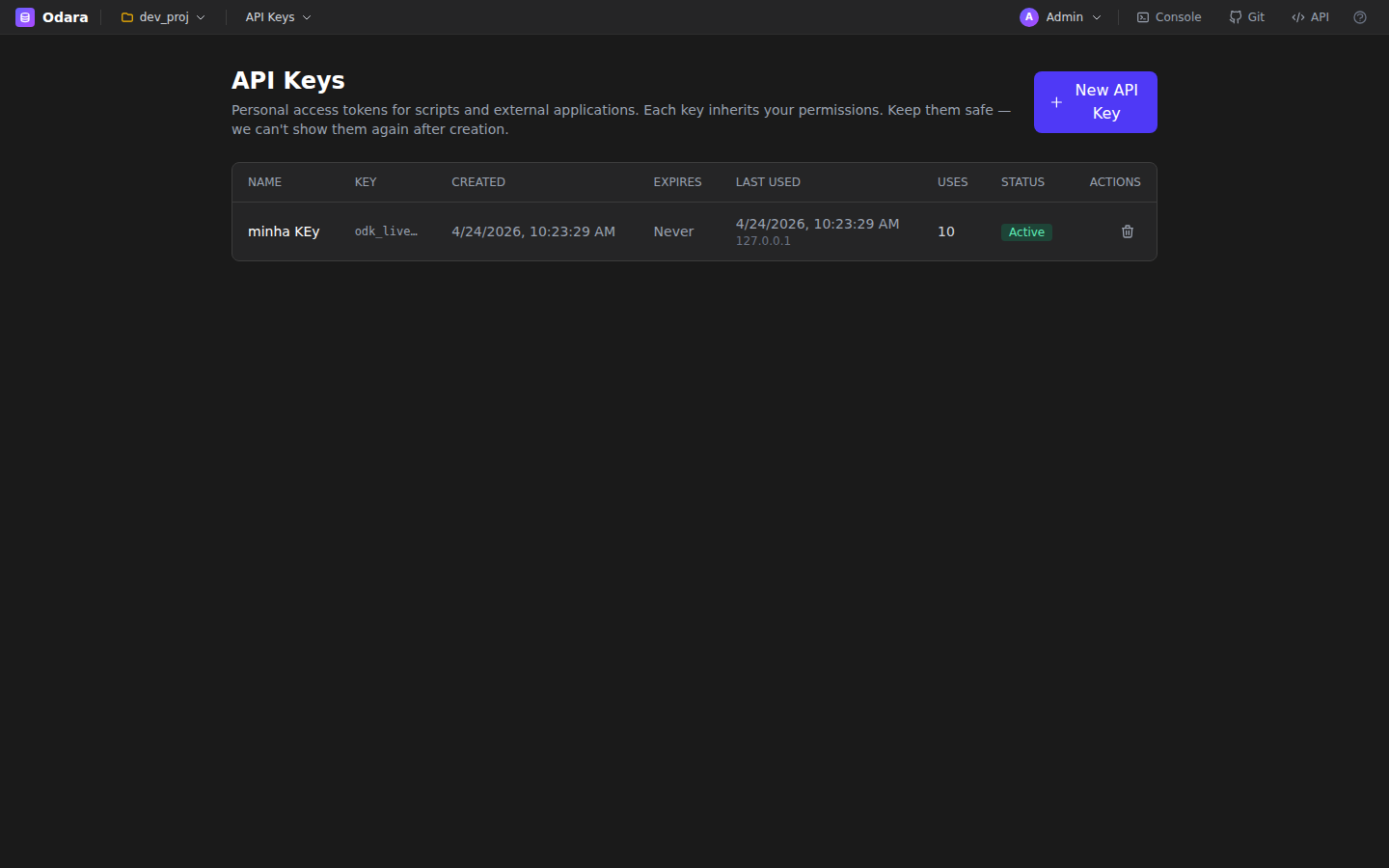
API keys let external scripts and services authenticate against Odara's REST API without going through the login form. Keys have the prefix odk_live_ followed by a random identifier.
13.2 Creating & revoking
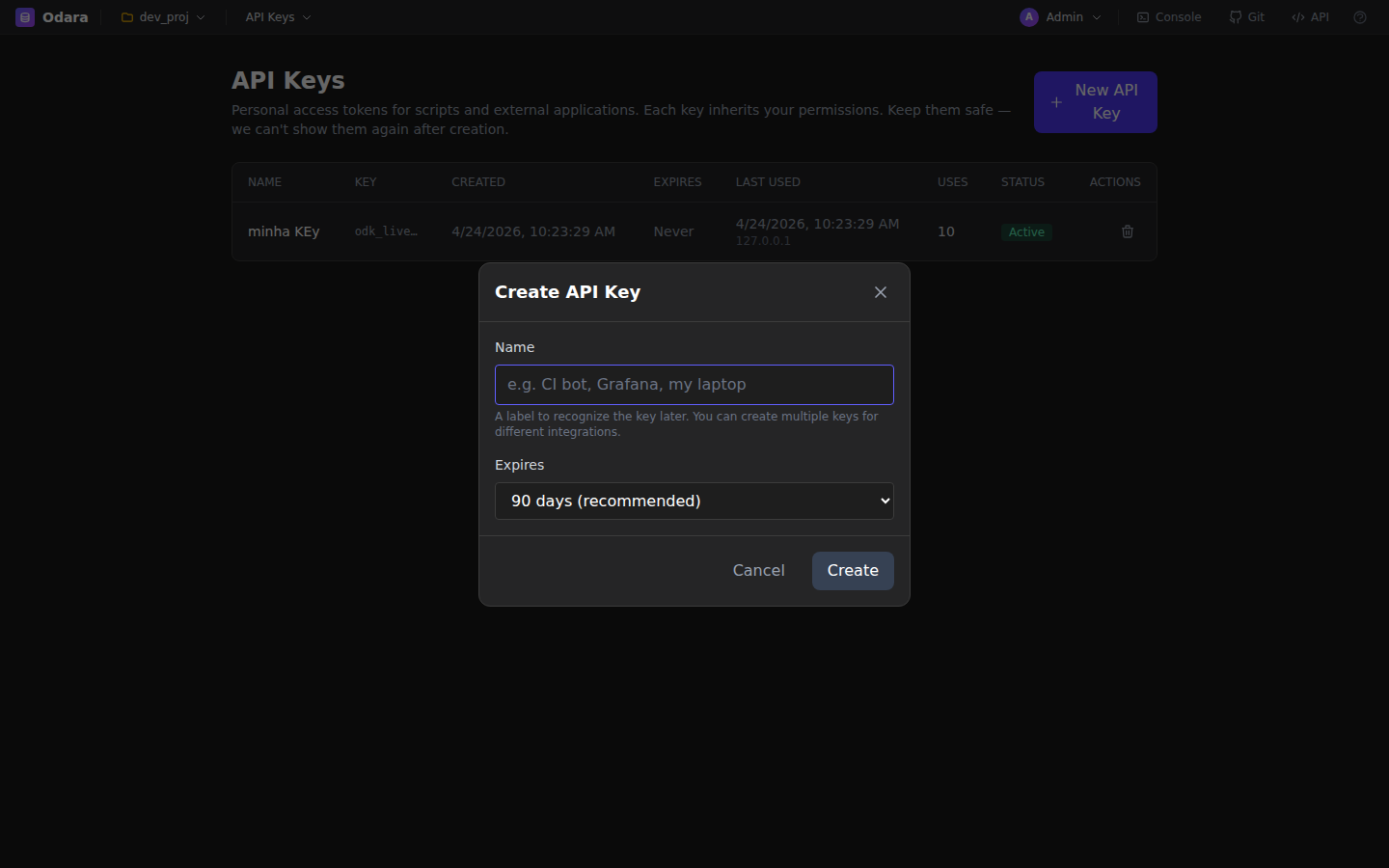
From the user menu (top-right avatar) → API Keys. Click + New Key, give it a name (e.g., "CI pipeline"), click Create. Copy the raw key immediately — it's only shown once; Odara stores just a hash.
To revoke a key, click the trash icon next to it. Revoked keys are rejected instantly by the API middleware.
13.3 Using from curl / scripts
Pass the key in the Authorization header:
curl -H "Authorization: Bearer odk_live_xxxxxxx" \
     http://localhost:3002/api/v1/pipelines
The API key middleware translates the key into a short-lived JWT for each request, so downstream handlers don't need to know the difference.
Everything the UI does goes through the same REST API (230+ endpoints); run progress streams as Server-Sent Events. To run in a given environment, pass it with the run:
curl -X POST -H "Authorization: Bearer odk_live_xxxxxxx" -H "Content-Type: application/json" \
     -d '{"environment": "production"}' \
     http://localhost:3002/api/v1/pipelines/<id>/run
GET /api/v1/pipelines/<id>/run-stream and the Maestro run endpoints take ?environment=. base or an unknown name is refused (400); without the parameter the active environment is used.