Resources.
Reusable connections in Odara ETL: data stores, file and cloud storage, remote servers, schemas and context variables.
5. Resources
5.1 Overview
Resources are reusable configuration objects — connections, schemas, and variables — that nodes can reference by name. Storing a database connection once as a Resource means you don't repeat host/port/credentials in every node.
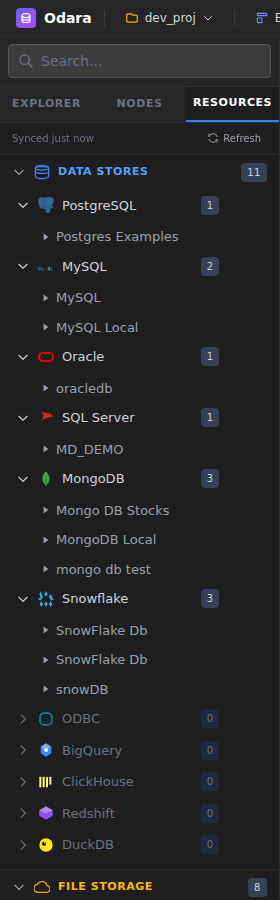
Open the Resources panel from the sidebar tab (right of Explorer). Resources are organized by type in a tree view.
5.2 Data Stores
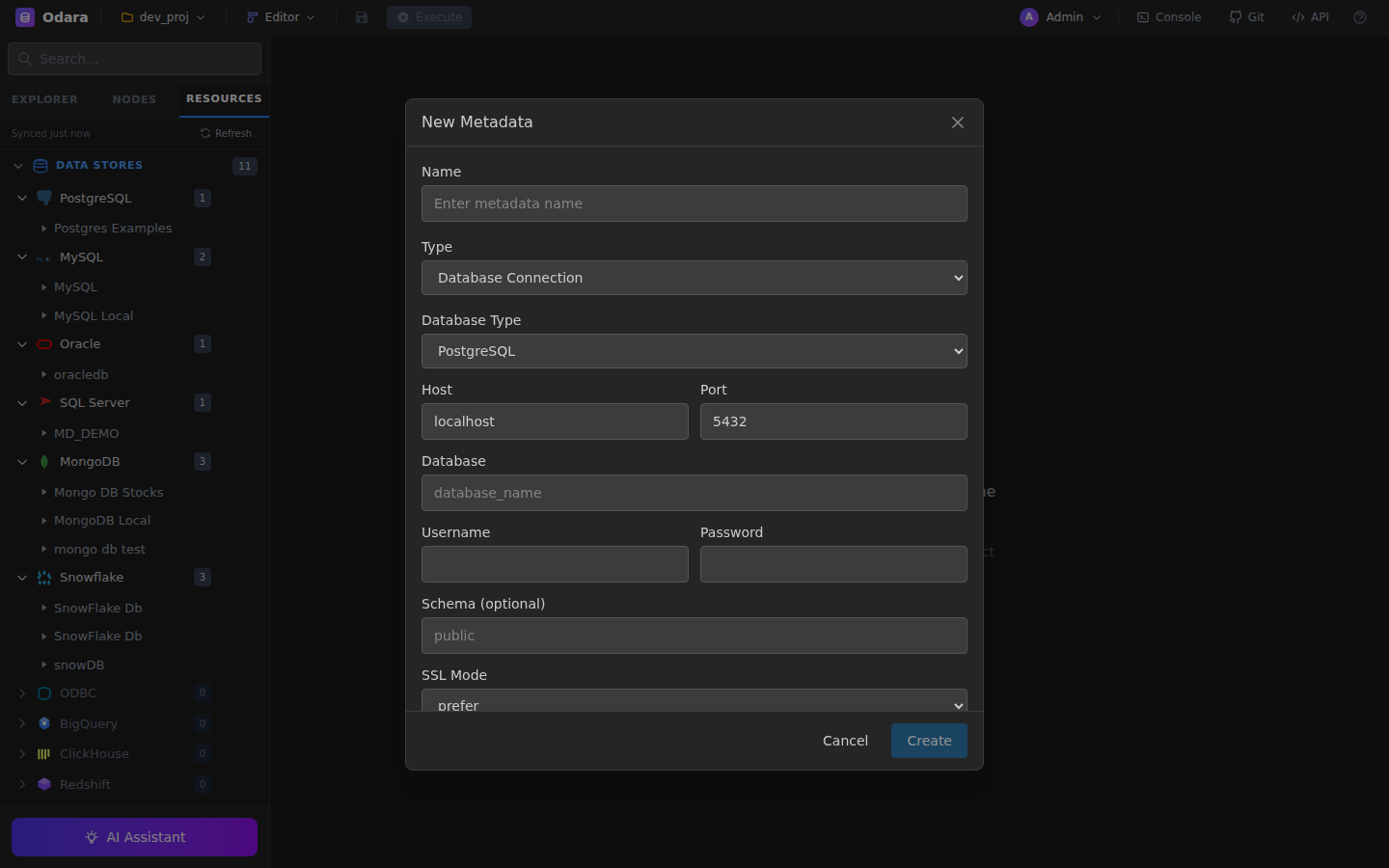
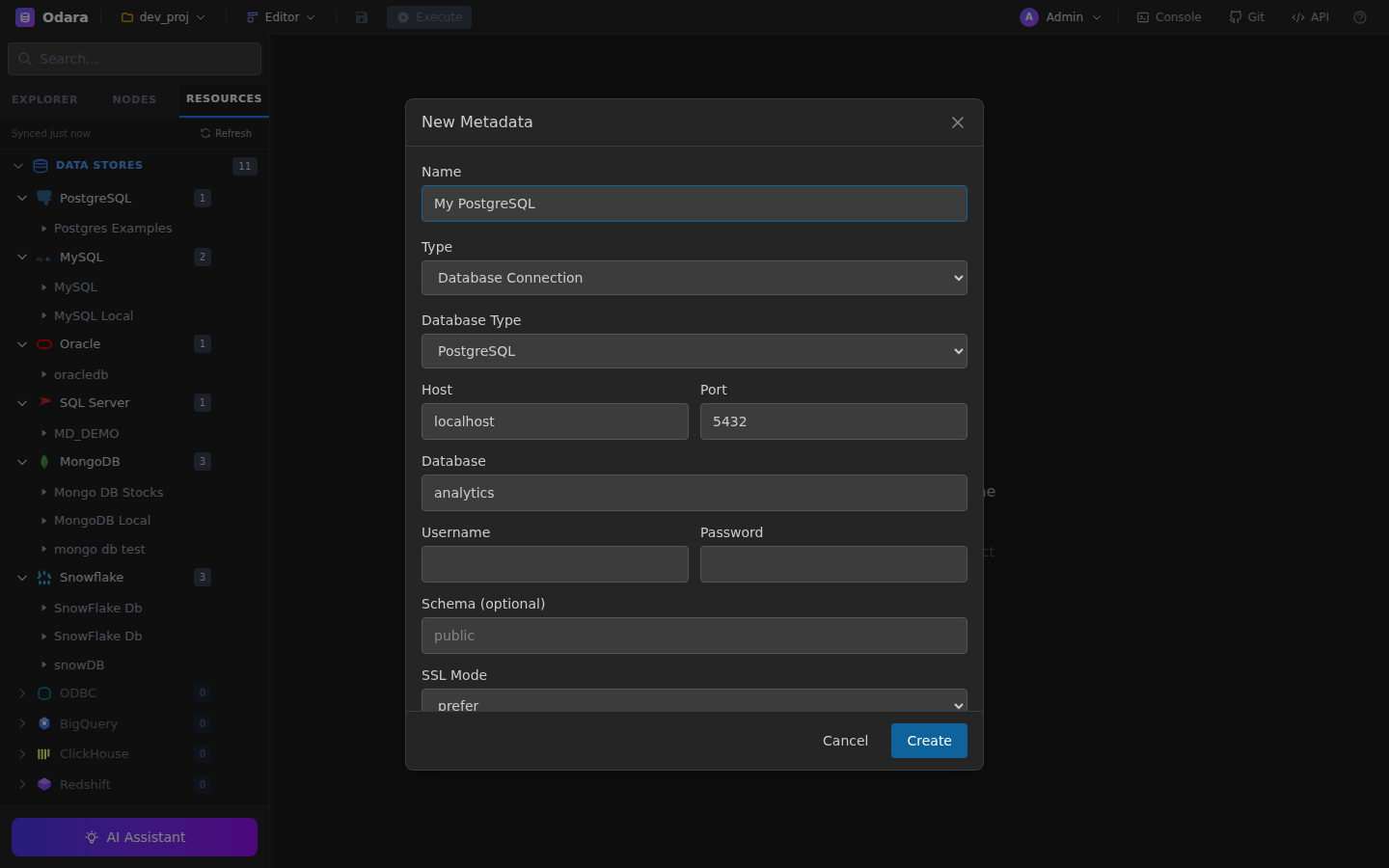
Connections to databases and data warehouses. Each Data Store holds: database type, host/port, credentials (AES-GCM encrypted), database/schema, and optional retrieved schema metadata (table list, columns).
Create a Data Store: Resources panel → right-click → New Data Store → pick type (Postgres / MySQL / Oracle / etc.) → fill details → Test Connection → save.
5.3 File Storage (Schemas)
Reusable column schemas for delimited, JSON, XML, or Excel files. Apply a File Schema to any file-reading node to enforce consistent column names and types across pipelines.
5.4 Cloud Storage
Connections to S3, Azure Blob, and Google Drive. Credentials are encrypted; for Google Drive, the OAuth refresh token is stored and used automatically.
5.5 Remote Servers (FTP)
FTP / FTPS / SFTP credentials including host, port, auth method (password or key), username, and either password or private key + passphrase.
5.6 Schemas
Retrieved database schemas are cached per Data Store. Click Introspect Schema on a Data Store to fetch its table list; the result is stored in the resource for use by downstream pipelines.
5.7 Context Variables
Named values that pipelines can reference via @variable_name interpolation. Examples: @date, @run_id, @target_env. Create them from the Resources panel → New Variable.
Variables are scoped per environment. Values in Base are shared by every environment; an environment (DEV, STG, PROD…) only defines what differs, and its value wins. A run uses the environment chosen for it (or the active one) — see 15.2. Mark passwords and keys as secret: they are encrypted, masked in the UI, and never written into logs, the Monitor or an isolated run's bundle.