Git.
Version pipelines with Git in Odara ETL: the panel, settings, commit, push and pull, GitHub and testing the connection.
9. Git (Source Control)
9.1 Panel
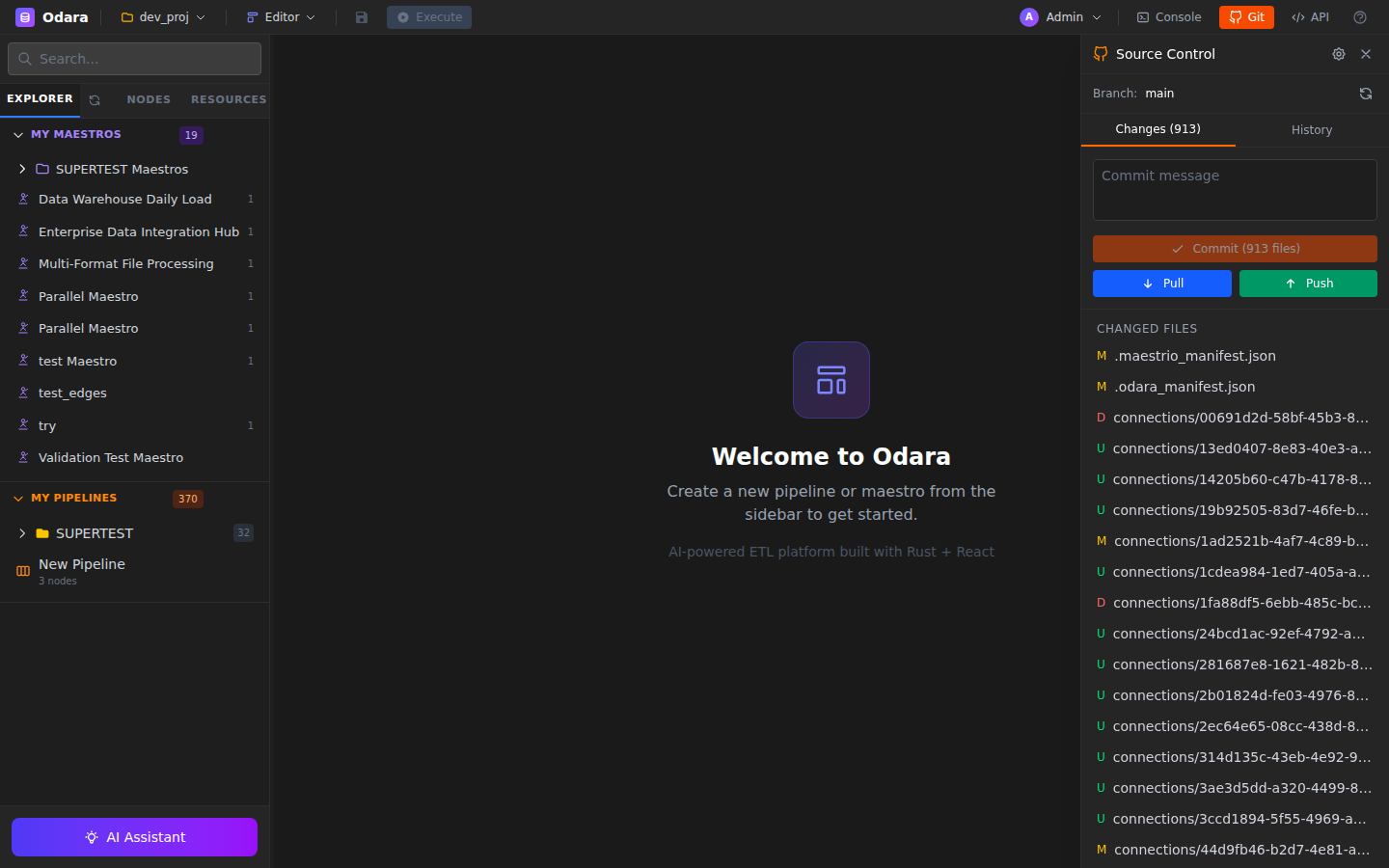
Click Git in the top bar to open the Git panel. It lists modified, staged, and untracked files, with a commit message input at the bottom, plus Pull / Push buttons at the top.
9.2 Settings
The gear icon in the Git panel opens Settings: remote URL, username, credentials (password, personal access token, or SSH key), default branch, and commit author identity.
9.3 Commit
Stage files (click the + next to each changed file), write a commit message, click Commit. Odara commits only pipeline/maestro/metadata JSON files — execution history and logs stay local.
9.4 Push & Pull
Push publishes your commits to the remote. Pull fetches and merges; if there are conflicts in JSON pipeline files, Odara opens a 3-way merge view.
9.5 GitHub OAuth integration
Instead of managing personal access tokens, you can authorize Odara to talk to GitHub via OAuth. Settings → GitHub → Sign in with GitHub. Odara never sees your password; it receives a scoped OAuth token.
9.6 Test connection
In Git Settings, click Test Connection before saving. Verifies the credentials can reach the remote and have push permission.