Python external + Email
One line: read a CSV, hand it to an external Python file that aggregates the rows with pandas, write the output to disk, and email the file as an attachment — all driven by Odara's
python_transformandemail_targetnodes.
This walkthrough builds a five-node pipeline that finishes end-to-end in under four seconds against the demo dataset. Reading time 10 minutes.
By the end you will know how to:
- Point a
python_transformnode at an external.pyfile (not inline code) and choose the entry function - Use a
run_afterbarrier so the email step waits for the CSV to actually land on disk before reading it as an attachment - Configure SMTP inline in an
email_targetnode — host, port, security, credentials, from / to, subject, body, attachments - Read the full per-node trace in Monitor after the run
Files
Download these into a folder on the same machine as the Odara API
(the example uses /tmp/tutorials/python-email/):
- sales.csv — 30 rows of fake sales (sale_id, sale_date, region, product, amount)
- transform.py — pandas aggregation function called by the Python node
Open transform.py once before you start — the contract is short:
import pandas as pd

def transform(df: pd.DataFrame) -> pd.DataFrame:
    df = df.copy()
    df["sale_date"] = pd.to_datetime(df["sale_date"])
    df["month"] = df["sale_date"].dt.strftime("%Y-%m")
    df["amount"] = pd.to_numeric(df["amount"])
    return (
        df.groupby(["month", "region"], as_index=False)
          .agg(orders=("sale_id", "count"),
               total_amount=("amount", "sum"))
          .sort_values(["month", "region"])
          .reset_index(drop=True)
    )
Odara hands the upstream batch to transform(df) as a pandas
DataFrame, gets a DataFrame back, and turns it into an Arrow batch
for the downstream nodes. No extra glue code needed.
1. The shape of the pipeline
Five nodes in a fan-out / fan-in arrangement:
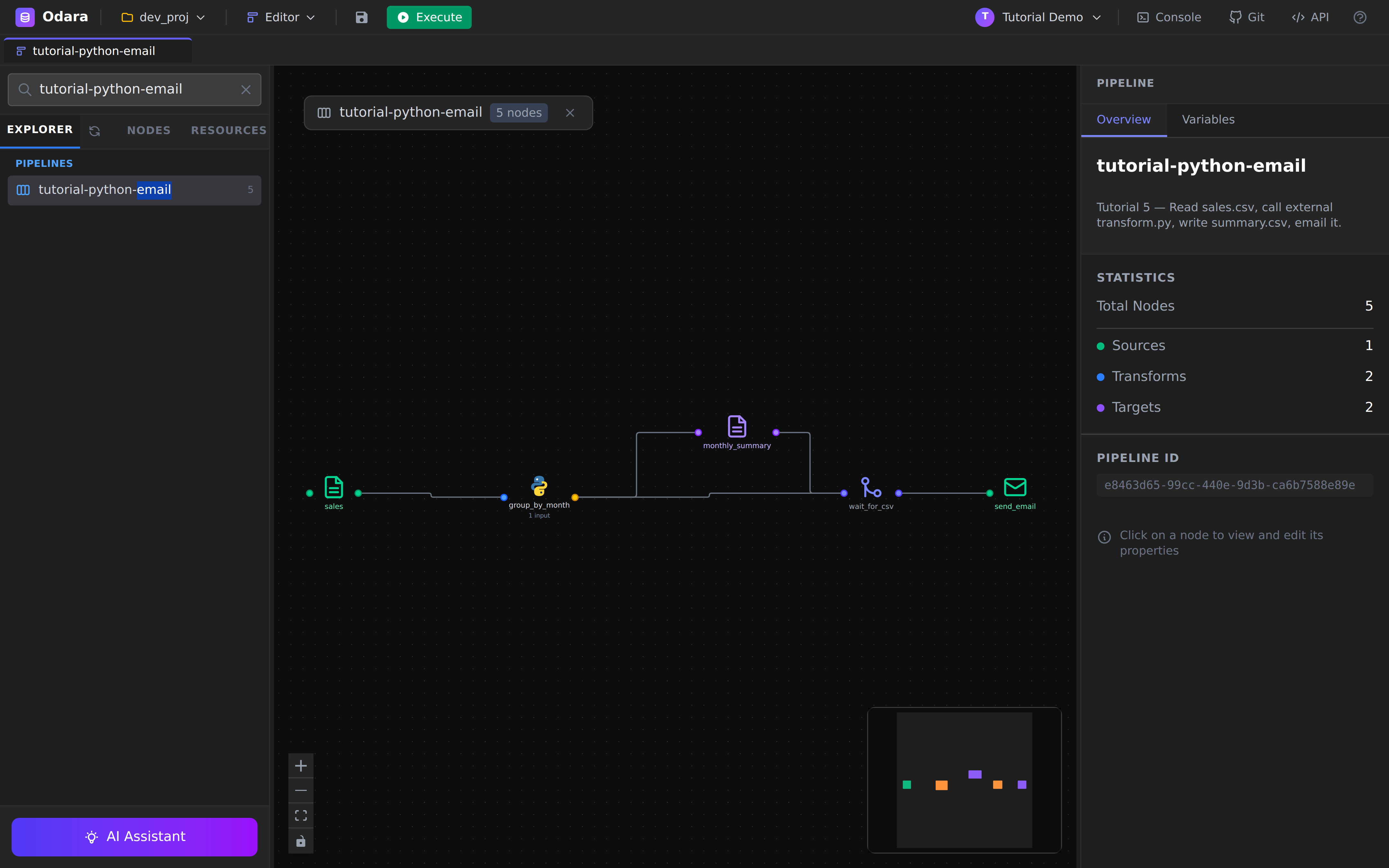
sales (CSV)
  └─→ group_by_month (Python)
         ├─→ monthly_summary (CSV target)
         └─→ wait_for_csv (RunAfter) ←──── monthly_summary
                                  └─→ send_email (Email target)
The wait_for_csv node is the key idea: it's a control-flow barrier
that waits for all of its upstream nodes (group_by_month and
monthly_summary) to finish before the email step can start. Without
this, send_email and monthly_summary would race — the email would
try to attach a file the CSV target hadn't written yet.
2. CSV source — sales
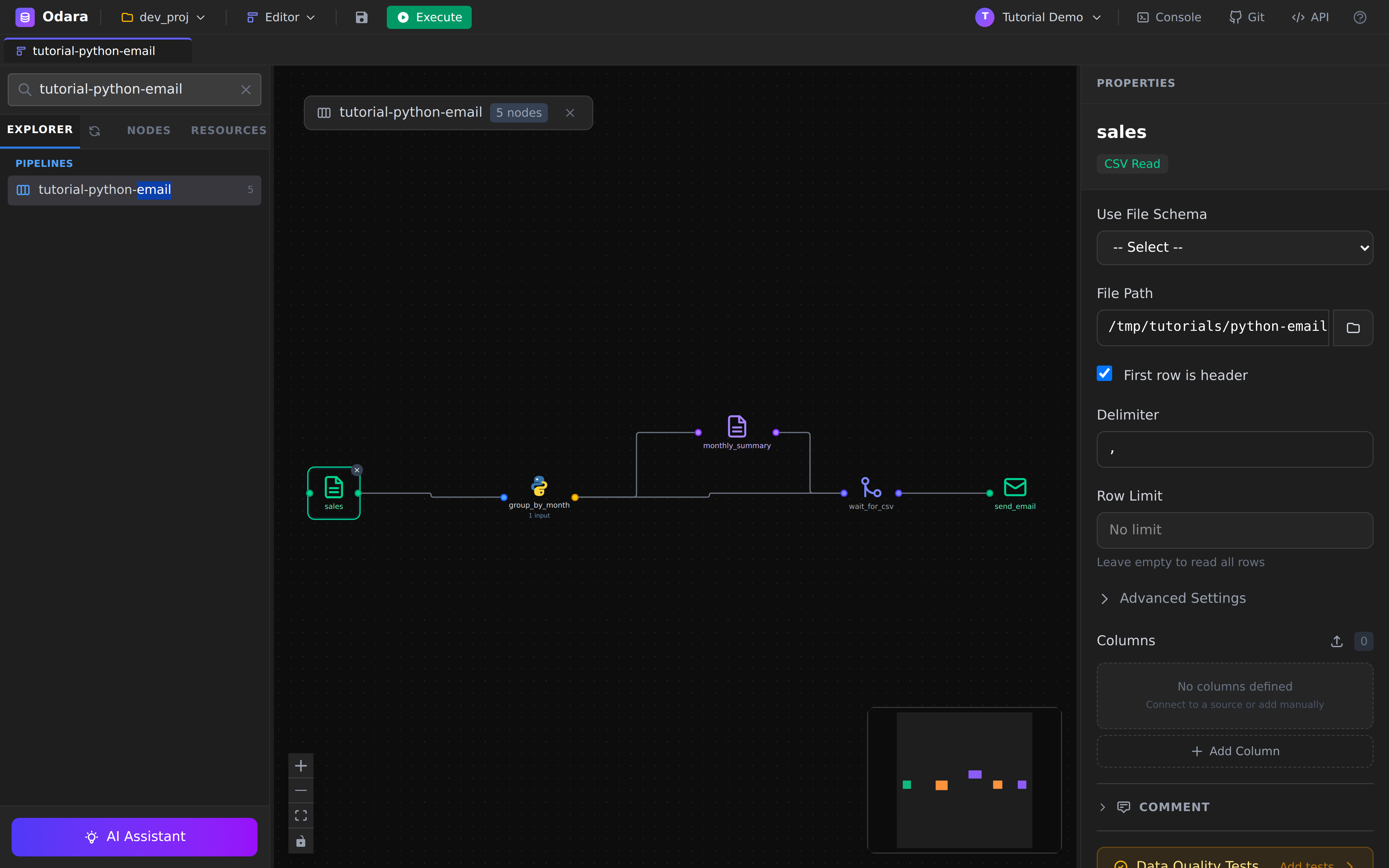
Same shape as any CSV source. Three columns matter for our pipeline:
sale_date (parsed by the Python script), region (used as the
group key), and amount (summed).
3. Python Transform — pointed at the external file
This is the interesting node.
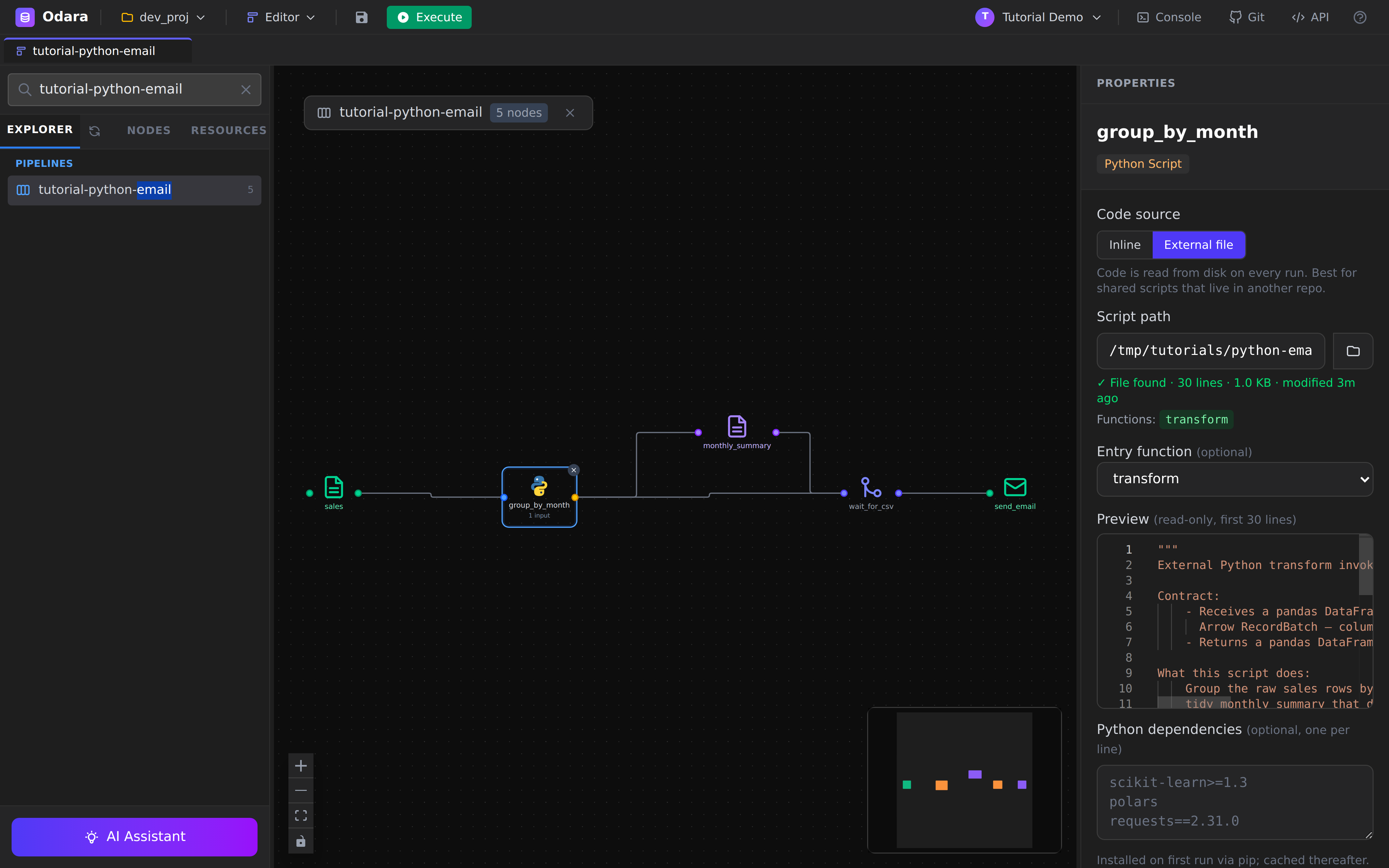
The Properties panel shows three switches that matter:
- Code source toggle —
Inlinestores the code in the pipeline JSON (good for one-off scripts, lives with the pipeline).External Filereads the code from disk on every run (good for shared scripts, source-controlled in another repo). - Script path — the absolute path to
transform.py. The panel validates:✓ File found · N lines · M KB · modified Magoand lists every function it discovered. - Entry function — which top-level function Odara calls. If left
blank Odara auto-discovers
transform, thenprocess, thenrun, in that order. Pick one explicitly when your script has multiple candidates.
A small Preview below shows the first lines of the file so you can verify Odara is reading what you expect.
Python dependencies: the panel has a
Python dependenciesfield where you can list pip requirements (one per line, e.g.pandas>=2.0,scikit-learn). On first run Odarapip installs them into the executor venv and caches the result; subsequent runs are zero-cost.
The data contract: the function receives a pandas
DataFrame(one Arrow batch is auto-converted). Whatever DataFrame it returns becomes the next stage's batch. Column names and dtypes are preserved.
4. CSV target — monthly_summary.csv
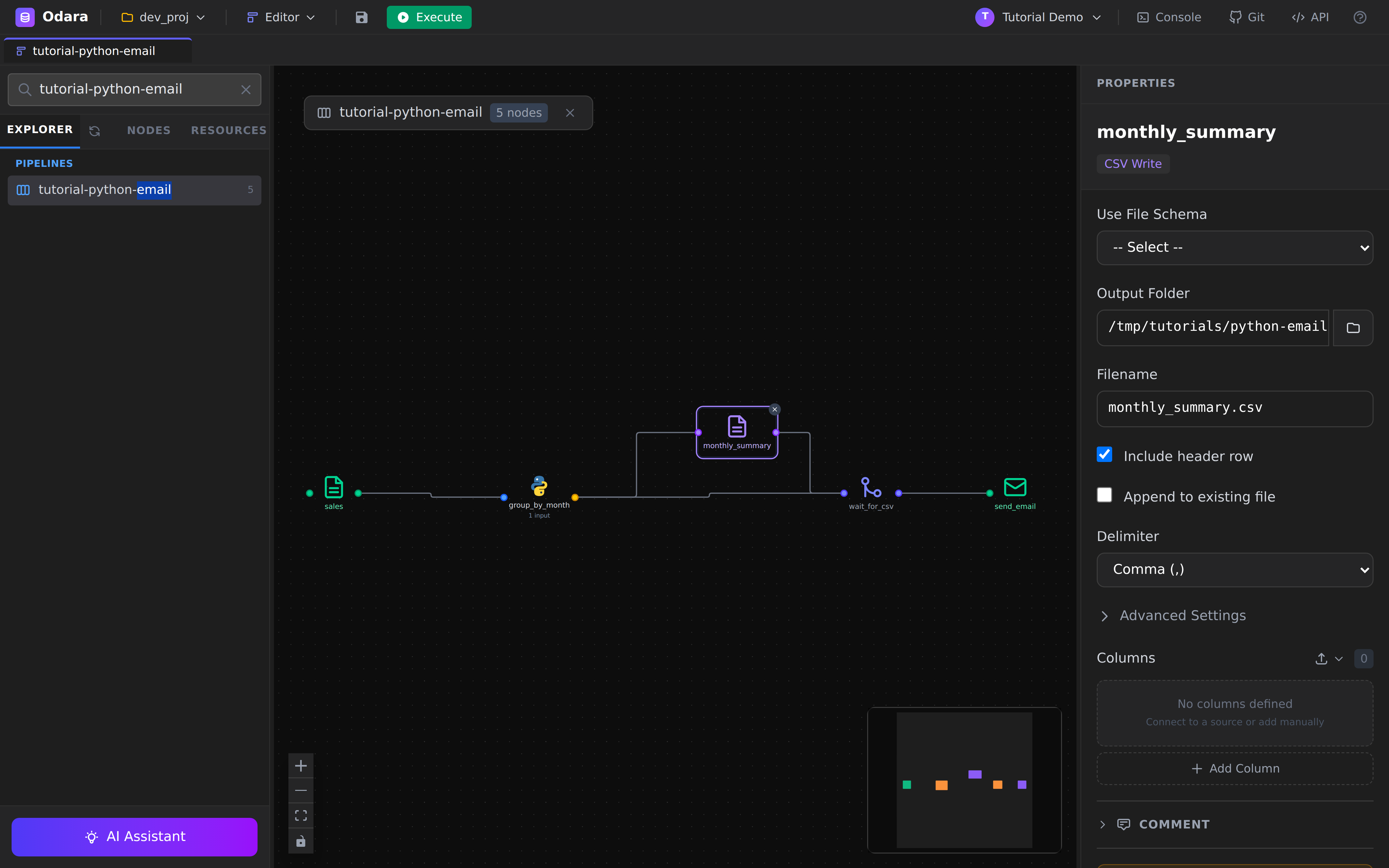
The CSV target writes whatever the Python node returned to disk. We
point it at /tmp/tutorials/python-email/monthly_summary.csv. After
the run, head on that file shows:
month,region,orders,total_amount
2024-01,North,2,3657.14
2024-01,South,1,2274.91
…
5. The barrier — wait_for_csv
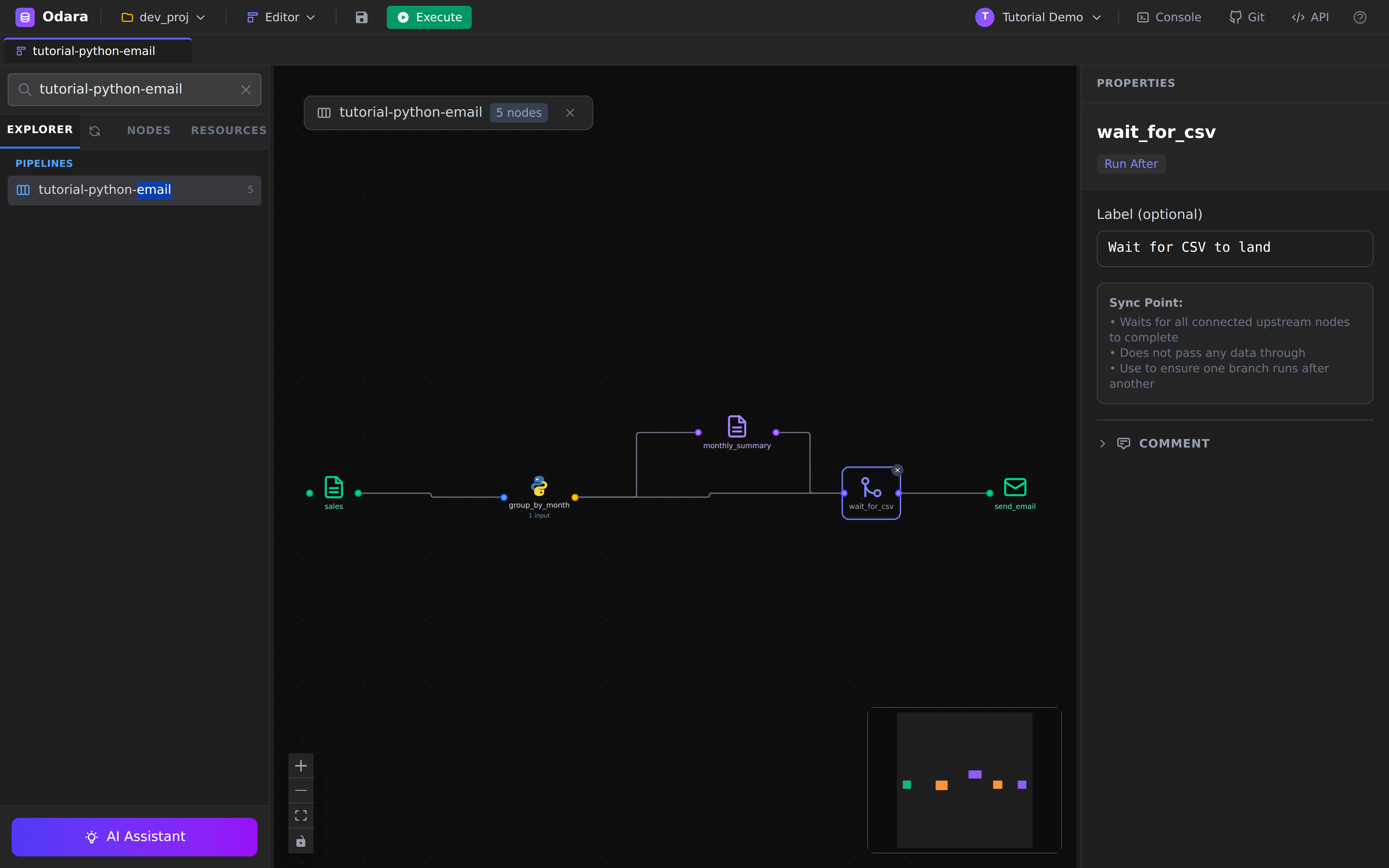
wait_for_csv is a RunAfter node — it produces no data, has
nothing to configure beyond an optional label, and its only job is
to wait for every upstream node to finish before downstream nodes
get scheduled.
In this pipeline two edges feed into it:
group_by_month → wait_for_csv and monthly_summary → wait_for_csv.
The downstream edge wait_for_csv → send_email is therefore
guaranteed to fire after monthly_summary has finished writing
the file to disk. No more race.
6. Email target — send_email
The longest node configuration we'll see — but every group is sensibly labelled.
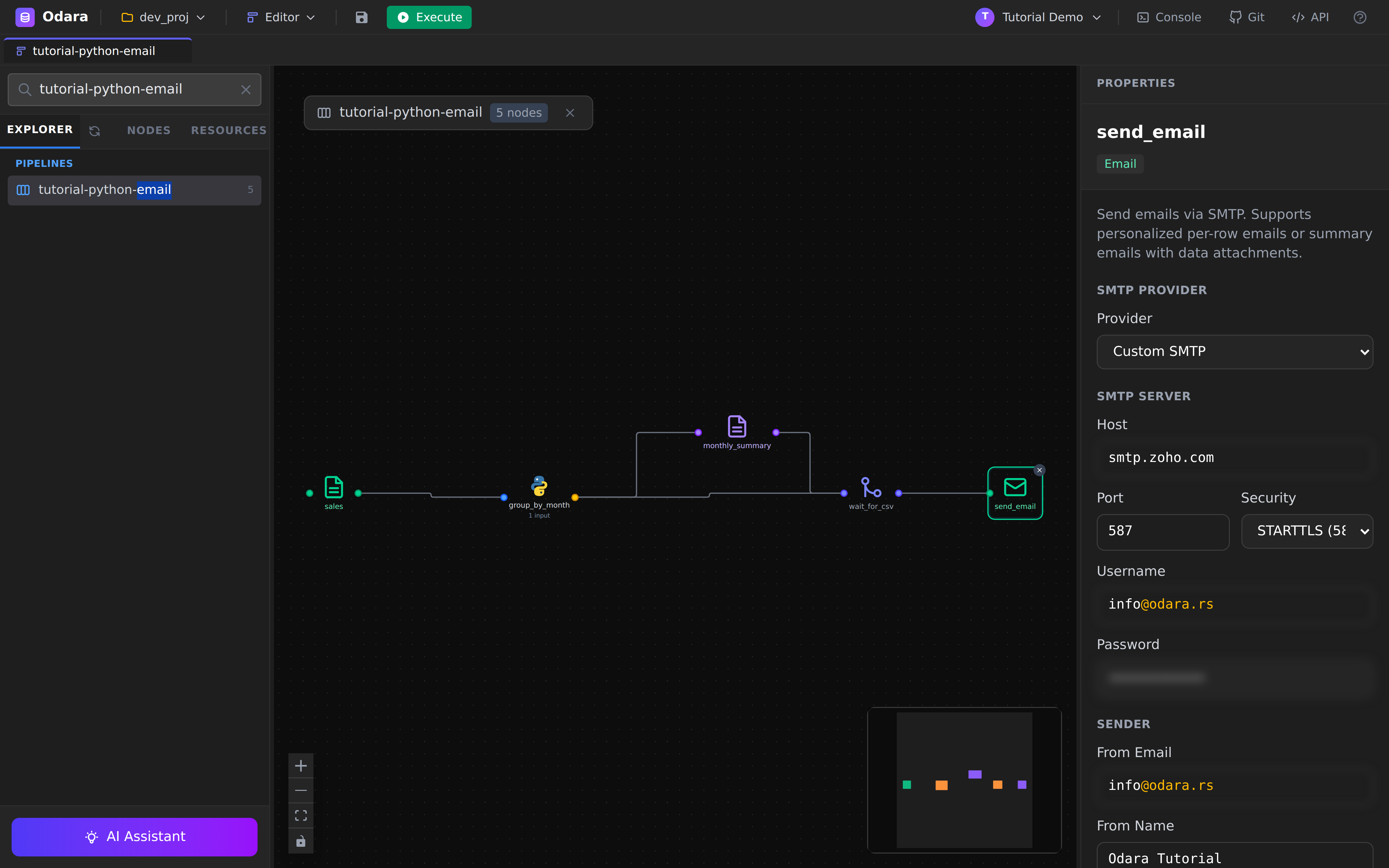
The panel groups the fields by concern:
| Group | Fields |
|---|---|
| SMTP Server | Provider preset (Gmail / Outlook / SendGrid / SES / Custom), Host, Port, Security (STARTTLS / TLS / None), Username, Password |
| Sender | From Email, From Name |
| Recipients | To, To Source (Static / From Column), CC, BCC |
| Email Content | Subject, Body Format (Plain Text / HTML), Body |
| Batch Mode | Per Row (one personalised email per input row) or Summary (one email, the upstream data is the attachment) |
| Attachments | A list of Static File (a fixed path) or From Column (path read off the input data) |
Scroll the panel down and you reach the Recipients, body, mode, and attachment configuration:
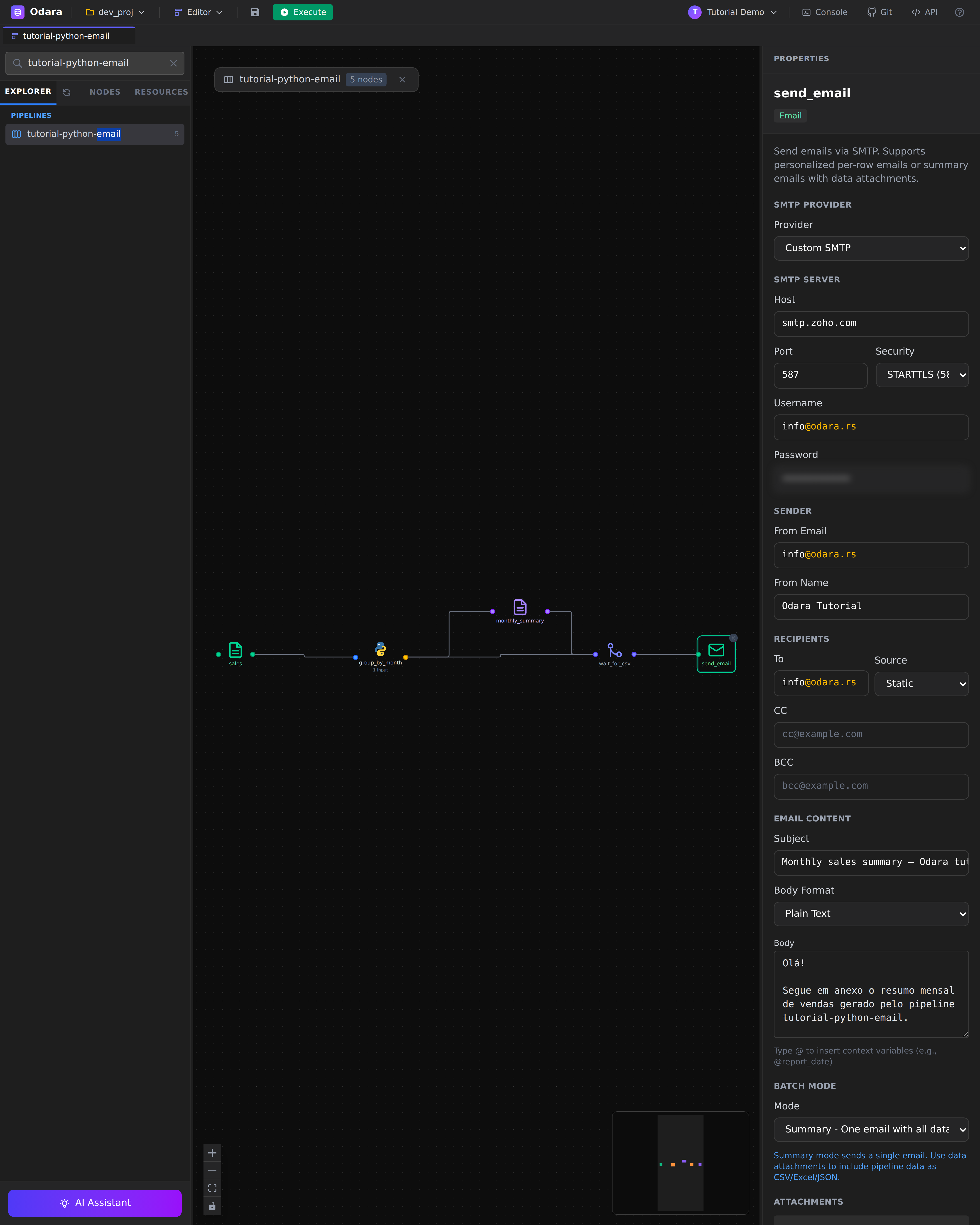
For this tutorial we use:
- Provider preset =
Custom SMTP(so Host, Port, Security are editable; the Gmail preset would lock them down tosmtp.gmail.com :587 STARTTLS). - Batch Mode =
Summary— exactly one email is sent regardless of input row count. - Attachments = one
Static Filepointing at/tmp/tutorials/python-email/monthly_summary.csv. The filename the recipient sees ismonthly_summary.csv(set in the optionalfilenamefield).
Passwords are stored encrypted at rest (AES-GCM) and only ever
displayed as ●●●●●● once saved.
7. Run it
Click Execute in the toolbar. The pipeline finishes in about
3.5 seconds end-to-end — Python aggregation (400 ms), CSV write
(< 10 ms), SMTP round-trip (3 s).
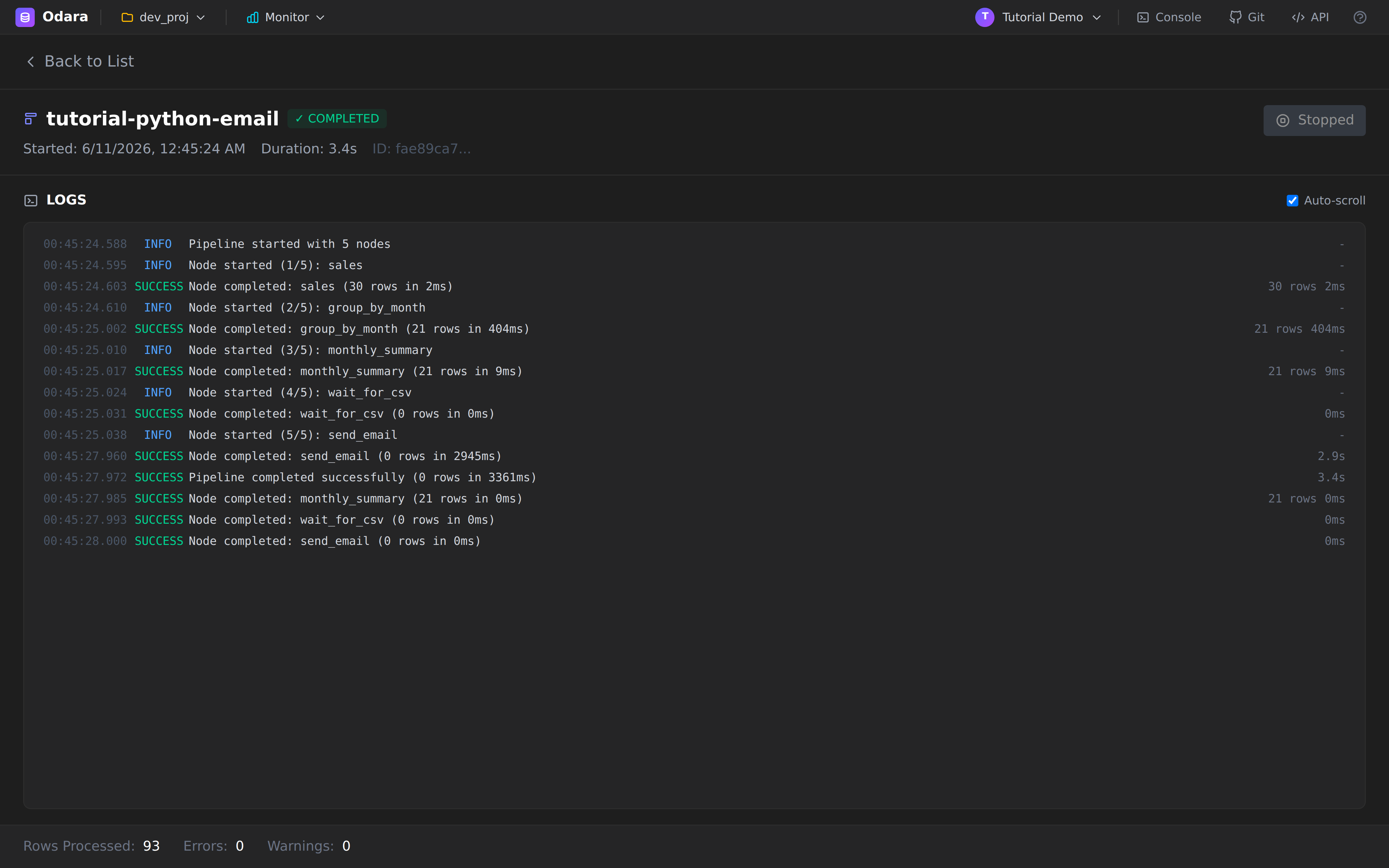
Reading the log trace:
sales—30 rows in 2ms(CSV read)group_by_month—21 rows in 404ms(Python startup + pandas aggregation; the first invocation is slower because the runtime has to spawn the Python subprocess and import pandas — subsequent runs reuse the warm interpreter)monthly_summary—21 rows in 9ms(CSV write)wait_for_csv—0 rows in 0ms(barrier, no work)send_email—0 rows in 2945ms(one email, network-bound)
Rows Processed: 93 at the bottom is the sum across all stages
(30 + 21 + 21 + 0 + 21 = 93). The number of recipients reached is
1, derivable from the send_email line and the static To
field.
8. Verify
Two checks:
- The CSV is on disk:
head /tmp/tutorials/python-email/monthly_summary.csv - The email arrived. Check the
[email protected]inbox (or whichever address you put in To). Subject: "Monthly sales summary — Odara tutorial"; attachment:monthly_summary.csv(533 bytes for the demo dataset).
If the email never shows up, the most common causes:
- STARTTLS vs TLS mismatch — Zoho/Gmail want STARTTLS on port
587; some hosts force TLS on 465. The error message in Monitor
will say
connection refusedorSTARTTLS not advertised. - App password vs account password — Gmail/Outlook block plain account passwords for SMTP. Generate an app password in the provider's security settings.
- Sender domain not authorised — if
from_emailis on a different domain thanusername, some providers reject the message. Use the same domain.
Cheat sheet
| I want to… | Do this |
|---|---|
Call my own .py file instead of inline code |
Python node → Code source → External File → set Script path |
| Pick a specific function in a file with several | Python node → Entry function dropdown |
| Pip-install a library on first run | Python node → Python dependencies (one per line) |
| Make node B wait for node A's side-effect | Insert a RunAfter node between them; wire both into it |
| Send the same email regardless of row count | Email node → Batch Mode = Summary |
| Send a personalised email per row | Email node → Batch Mode = Per Row + To Source = From Column |
| Attach a fixed file | Email node → Attachments → Static File |
| Attach a file whose path is in the data | Email node → Attachments → From Column + pick the column |
| Use Gmail / Outlook / SendGrid / SES | Email node → Provider preset (locks host/port/security) |
What you learned
- An external Python file behaves like inline code from the pipeline's point of view — same DataFrame in, DataFrame out — but lives in your normal source tree and benefits from your normal review tooling.
run_afteris the right tool whenever a downstream node needs to wait on a side-effect of an upstream node (file write, table truncate, API call) that the executor can't otherwise see.- The Email target is a real connector with the full credentials story — encrypted-at-rest passwords, provider presets, batch modes — not a "fire and pray" notifier.
- Pipeline summary counters (
Rows Processed) accumulate over all nodes — derive output row counts from thetargetline, not the footer.
Next
→ Star Schema → Snowflake — orchestrating multiple loads with Maestro