Isolated runs on AWS ECS Fargate
One line: one CloudFormation stack prepares your AWS account; then every run of an Odara environment set to Isolated (AWS ECS Fargate) gets its own Fargate task, created for that run and gone at the end.
With Fargate, ten runs at once get ten machines, each with its own CPU, memory and time limit. You pay for the minutes they run, and nothing stays switched on in between: no cluster nodes, no NAT, no database.
The Odara server itself stays where it is (your server, another cloud, a laptop). It only coordinates: it starts the task, follows its progress and shows the result. The data goes through the run's machine only.
   ODARA SERVER (anywhere)                         AWS (your region)
 ┌──────────────────────────────┐
 │ Execute (PROD)               │
 │ 1. builds the run bundle,    │
 │    without secret values     │
 │ 2. secrets → a vault entry ──┼──►  Secrets Manager  "odara/run/<id>"
 │ 3. asks for a machine ───────┼──►  ECS / Fargate: RunTask
 │                              │         │  pulls odara-runner
 │                              │         ▼
 │                              │    ┌────────────────────────┐
 │                              │    │ THE RUN'S MACHINE      │──► S3, databases…
 │                              │    │ runs the pipeline,     │
 │                              │    │ writes its progress    │
 │                              │    └───────────┬────────────┘
 │ 4. reads the progress ◄──────┼──── CloudWatch Logs
 │ 5. deletes the vault entry ──┼──►  (task "Stopped")
 └──────────────────────────────┘
You will:
- Set a budget alert
- Create the stack from the Odara template (console, step by step)
- Create the Odara server's access key
- Put the key on the Odara server
- Set PROD to Isolated (AWS ECS Fargate)
- Run in PROD and follow the run in Odara and in the AWS console
- Delete everything when you are done
It takes about 25 minutes, most of it waiting for the stack. Every screen
below is real: Odara 0.4.1, runner image 0.4.1, region Paris (eu-west-3).
Account ids, network ids and bucket names are masked.
Before you start
- An AWS account where you can create IAM users and roles
(an administrator, or a user with
AdministratorAccess). - Odara 0.4.1 or later, admin account.
- The template,
odara-fargate.yaml. Download it from odara.rs/deploy/aws/odara-fargate.yaml. Releases from 0.4.2 on also ship it in the package, underdeploy/aws/(/usr/share/odara/deploy/aws/for the .deb and .rpm).
A brand-new AWS account that never used ECS? The first stack can fail with Unable to assume the service linked role. AWS creates that role on the spot: delete the failed stack and create it again a minute later, or run
aws iam create-service-linked-role --aws-service-name ecs.amazonaws.comfirst.
1. Set a budget alert
Before anything else, open Billing and Cost Management › Budgets › Create budget. A Monthly cost budget of US$ 10 with your e-mail is plenty for tests: AWS warns you when the month goes past it.
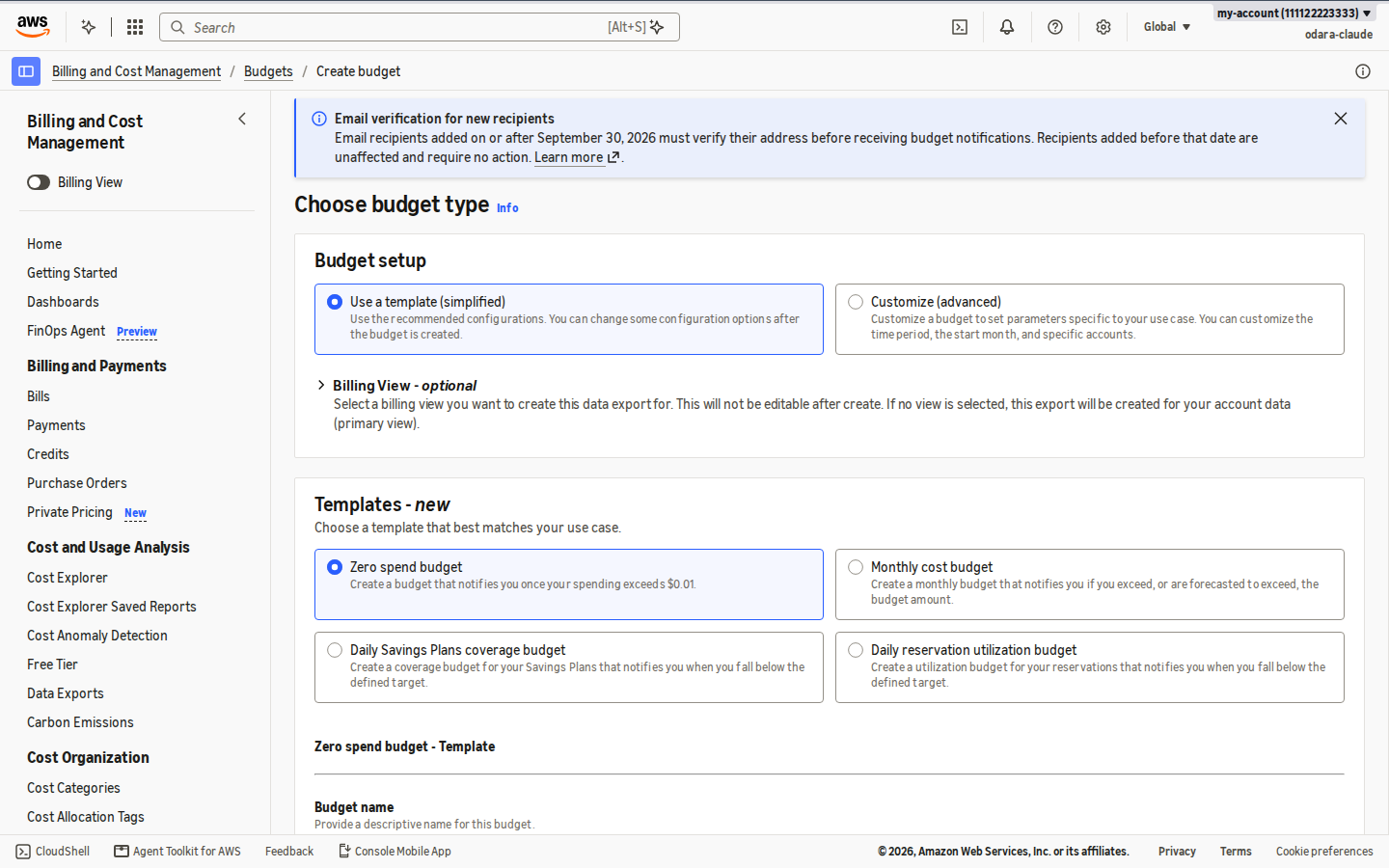
A test month with 100 runs of 5 minutes costs well under US$ 5 (the cost table is at the end).
2. Create the stack
Open CloudFormation › Stacks › Create stack › With new resources (standard).
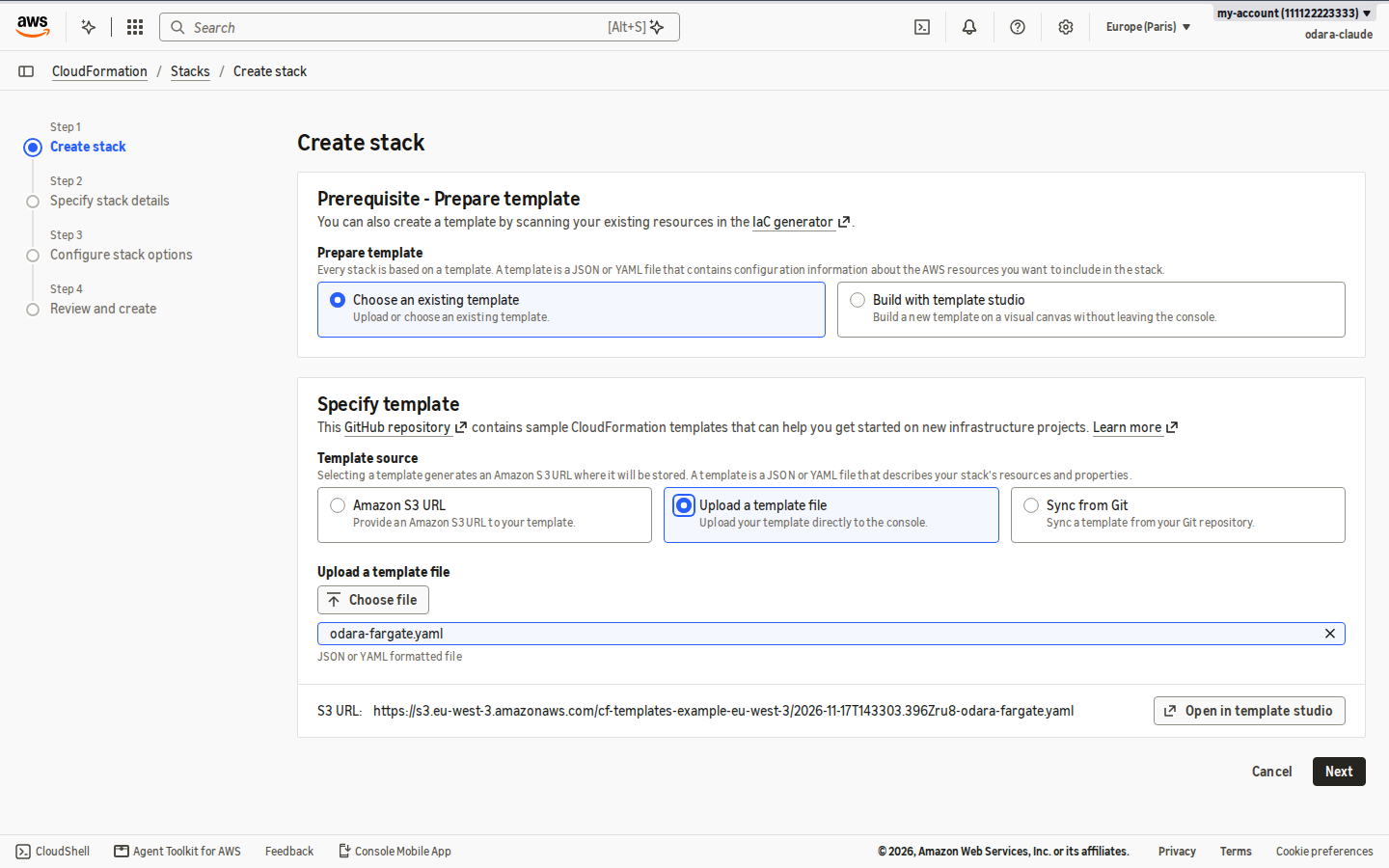
Step 1 — Specify template. Choose Upload a template file, then
Choose file and pick odara-fargate.yaml. Click Next.
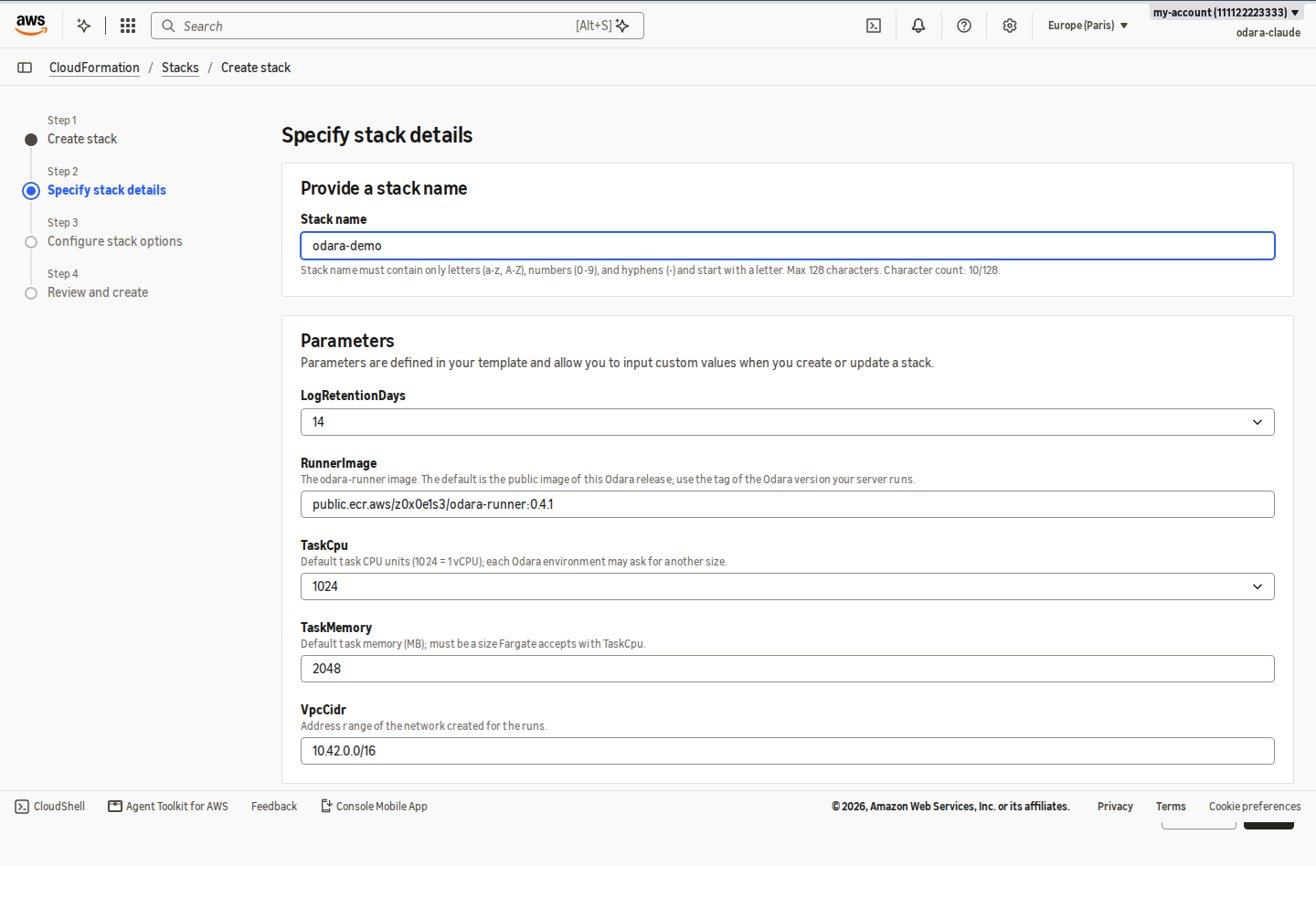
Step 2 — Specify stack details.
- Stack name: short, letters, digits and hyphens. The resources are
named after it: stack
odara-democreates the clusterodara-odara-demo, the task definitionodara-runner-odara-demo, the log group/odara/runs/odara-demoand the IAM userodara-server-odara-demo. - RunnerImage: leave the default, the public runner image of this Odara
release (
public.ecr.aws/z0x0e1s3/odara-runner:0.4.4). If your Odara server runs another version, put that version's tag. - Leave the rest as it is: 1 vCPU / 2048 MB is the default size (each Odara
environment can ask for another), logs are kept 14 days, and the runs get
their own small network
10.42.0.0/16.
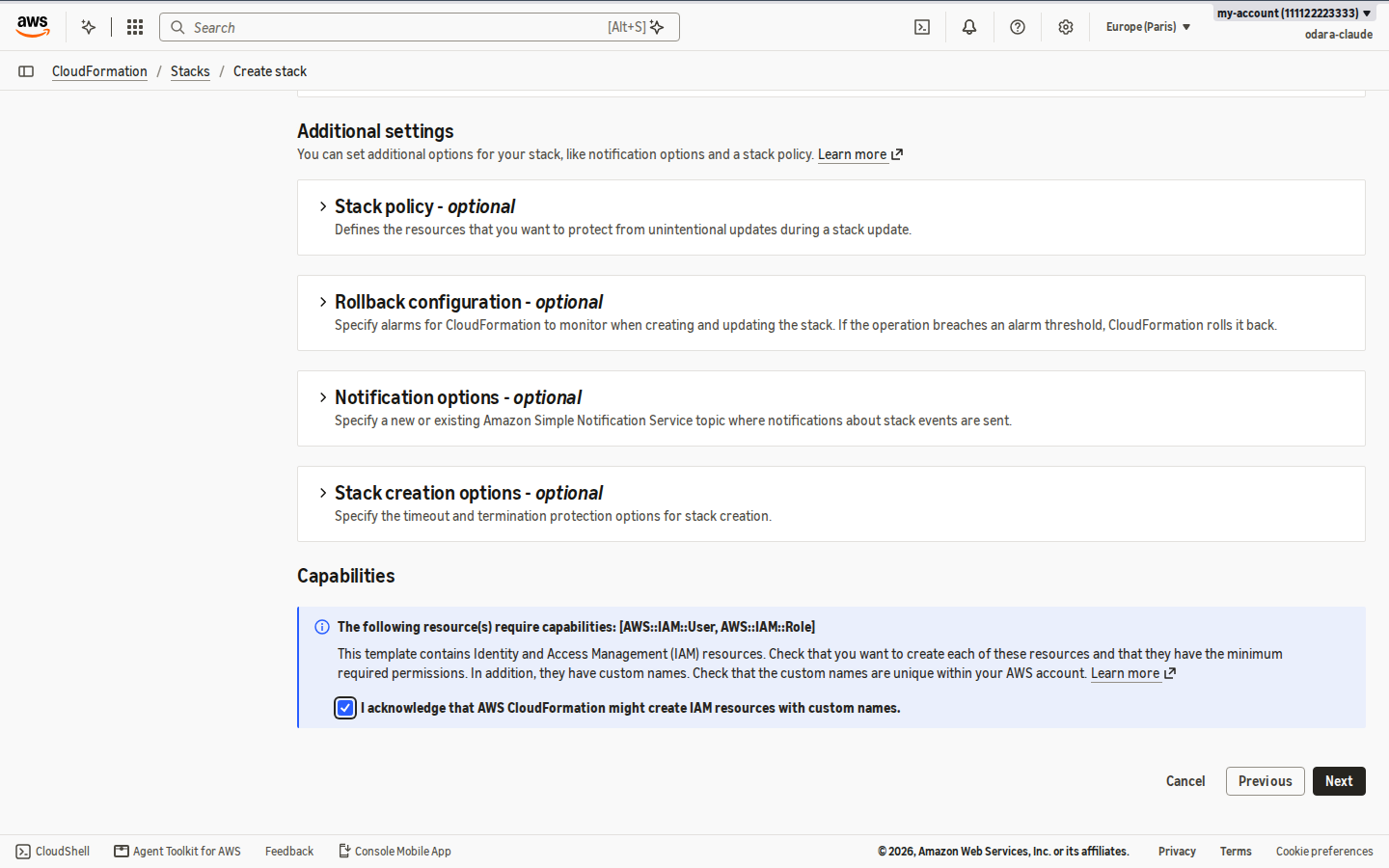
Step 3 — Configure stack options. Nothing to change, except at the bottom: tick I acknowledge that AWS CloudFormation might create IAM resources with custom names. The template creates the Odara server's user and two roles, each limited to what it needs.
Step 4 — Review and create. Check the summary and click Submit.
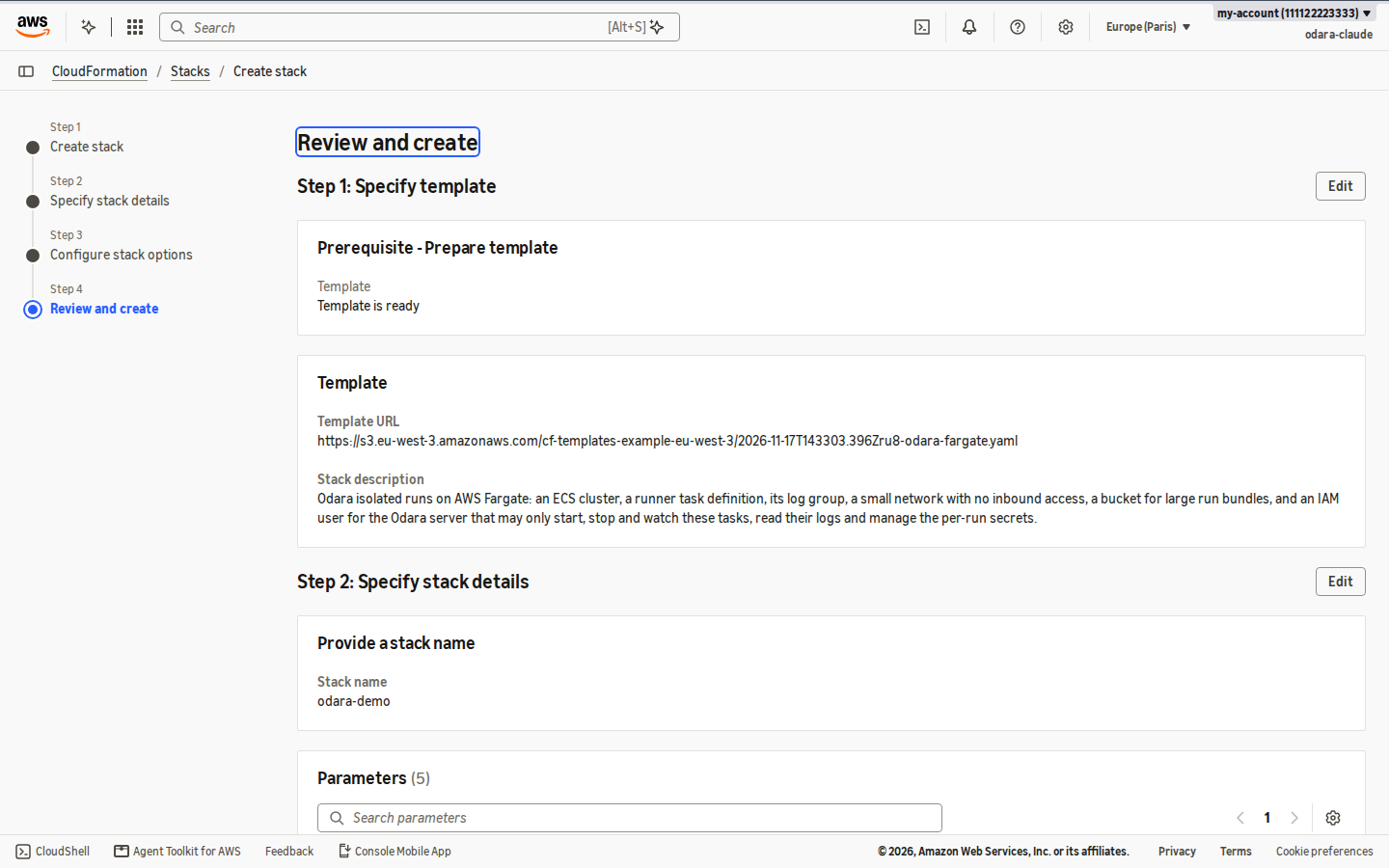
The stack starts in CREATE_IN_PROGRESS…
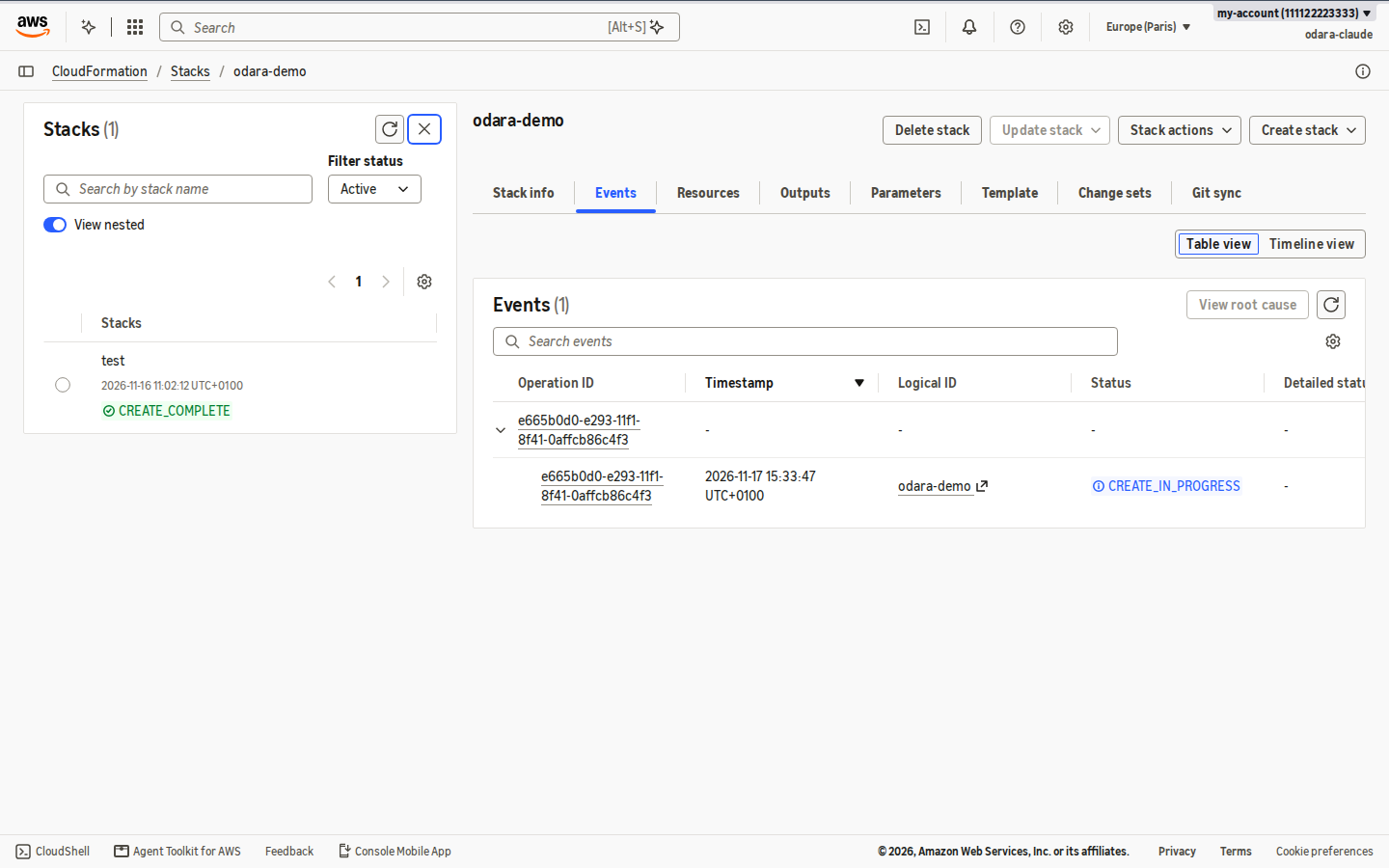
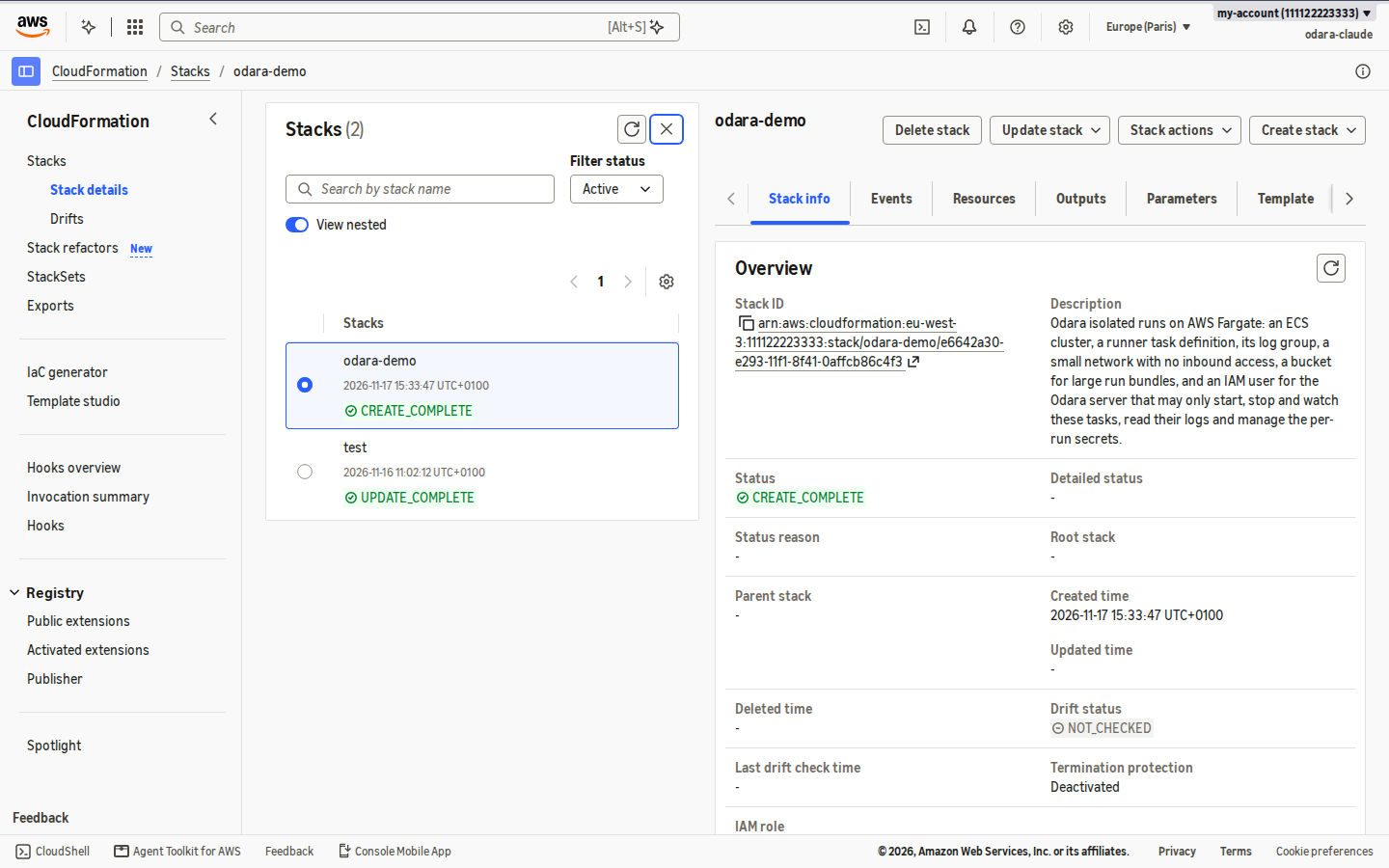
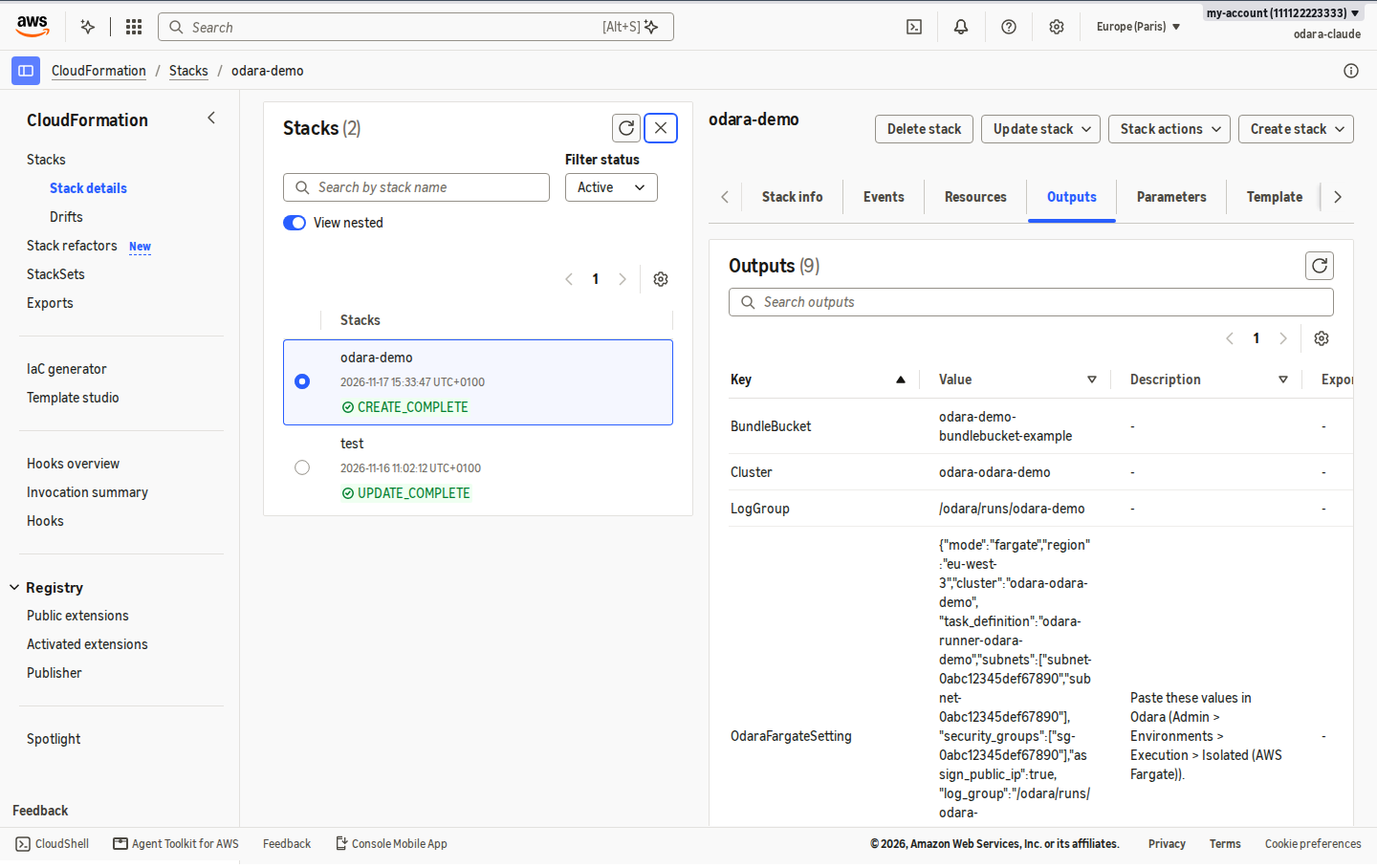
…and reaches CREATE_COMPLETE after 2 to 4 minutes.
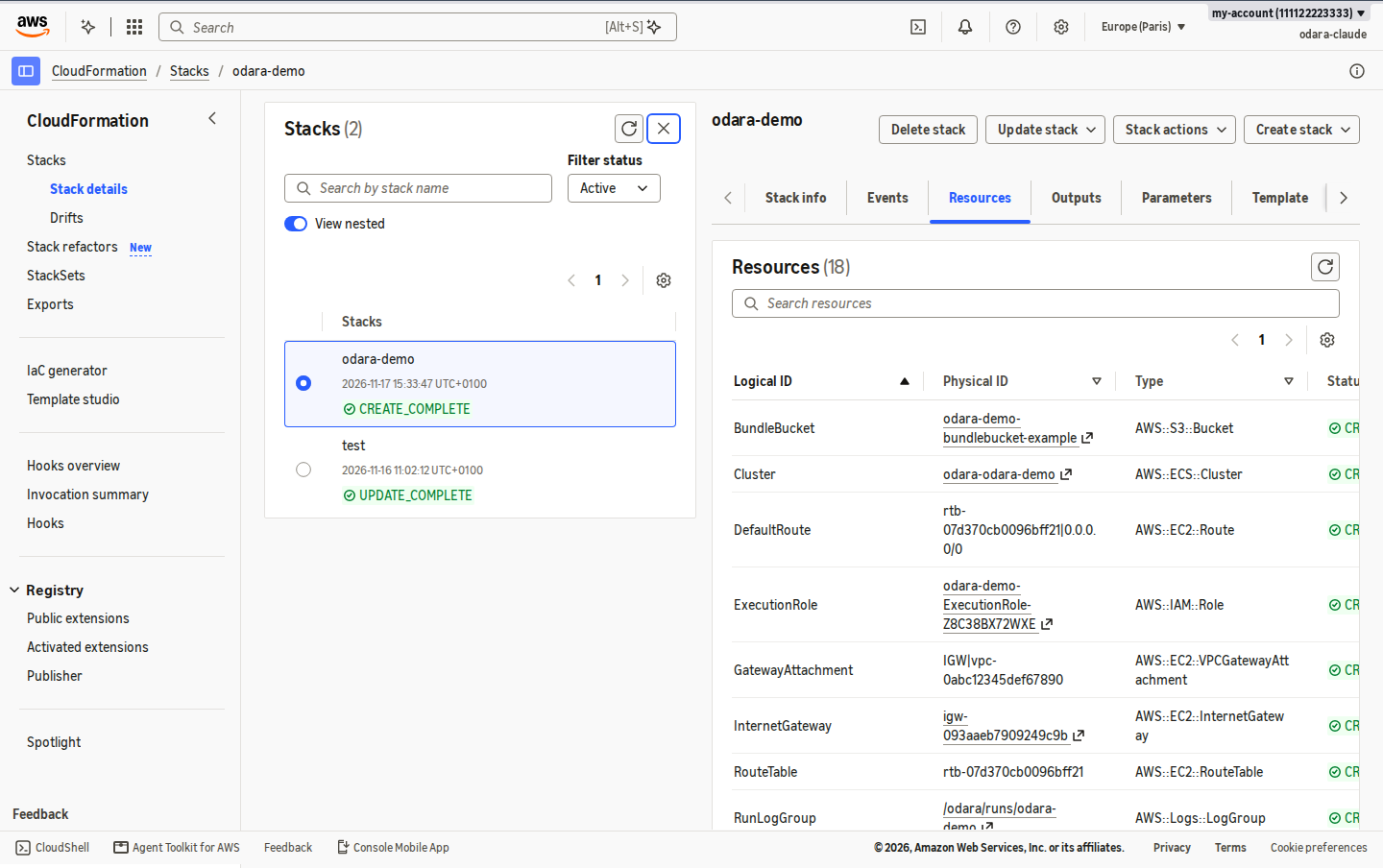
The Resources tab lists what it created: the ECS cluster, the runner's task definition, the log group, the bundle bucket (files deleted after 1 day), the network (VPC, two public subnets, internet gateway, a security group with no inbound access), the two roles and the server's user.
The Outputs tab holds what Odara needs. OdaraFargateSetting is the whole setting in one JSON value: region, cluster, task definition, subnets, security groups, public IP, log group and bundle bucket. Keep this tab open for step 5.
3. Create the Odara server's access key
Open IAM › Users › odara-server-<stack> › Security credentials.
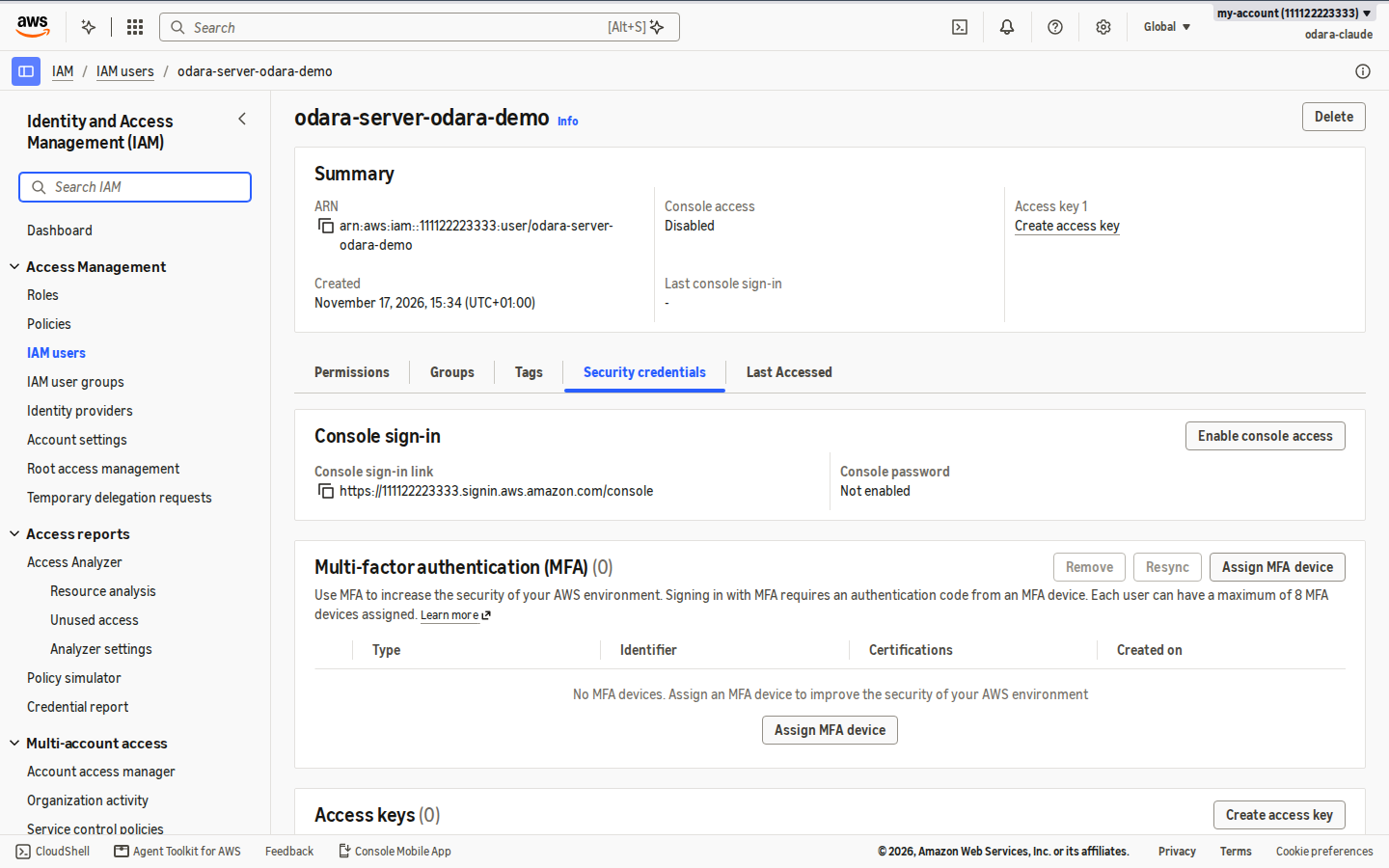
This user may only start runner tasks on this cluster, watch and stop
them, read their logs, and create and delete the per-run secrets
(odara/run/*). It can't read your data or create anything else.
Click Create access key, choose Application running outside AWS, then Next and Create access key.
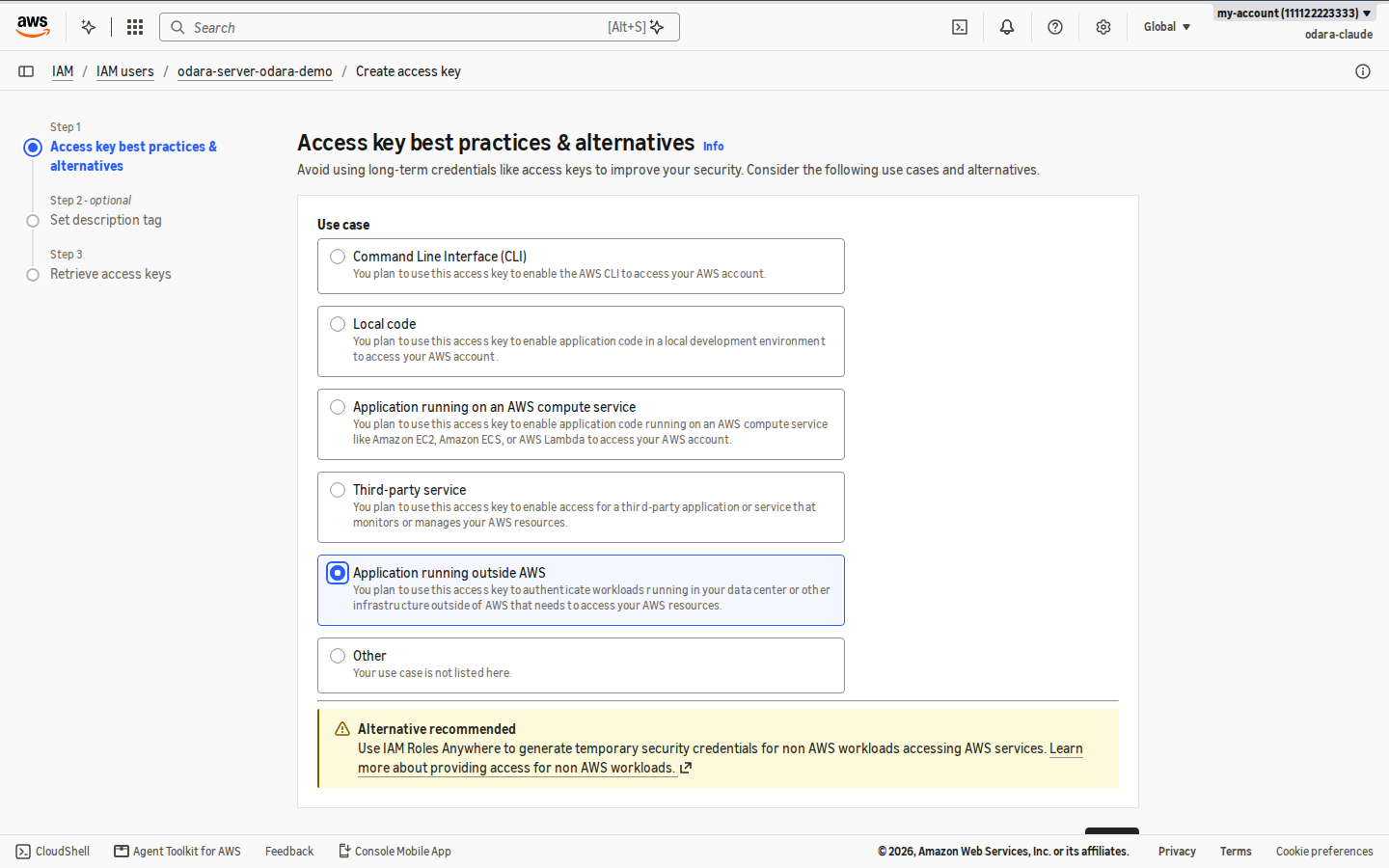
AWS shows the Access key ID and the Secret access key once. Copy both straight to the Odara server (next step). Don't send them by chat or e-mail. If they leak, deactivate the key on this page and create another.
4. Put the key on the Odara server
Odara reads AWS credentials from the usual places: the environment
(AWS_ACCESS_KEY_ID, AWS_SECRET_ACCESS_KEY) or the Odara user's
~/.aws/credentials.
With the packaged service, an environment file readable only by root is the simplest:
sudo install -m 600 /dev/null /etc/odara/aws.env
sudo nano /etc/odara/aws.env
AWS_ACCESS_KEY_ID=AKIA…
AWS_SECRET_ACCESS_KEY=…
sudo systemctl edit odara
[Service]
EnvironmentFile=/etc/odara/aws.env
sudo systemctl restart odara
5. Set PROD to Isolated (AWS ECS Fargate)
In Odara, open Admin › Environments. For PROD, set Execution to Isolated (AWS ECS Fargate) and fill in the fields from the stack's OdaraFargateSetting output:
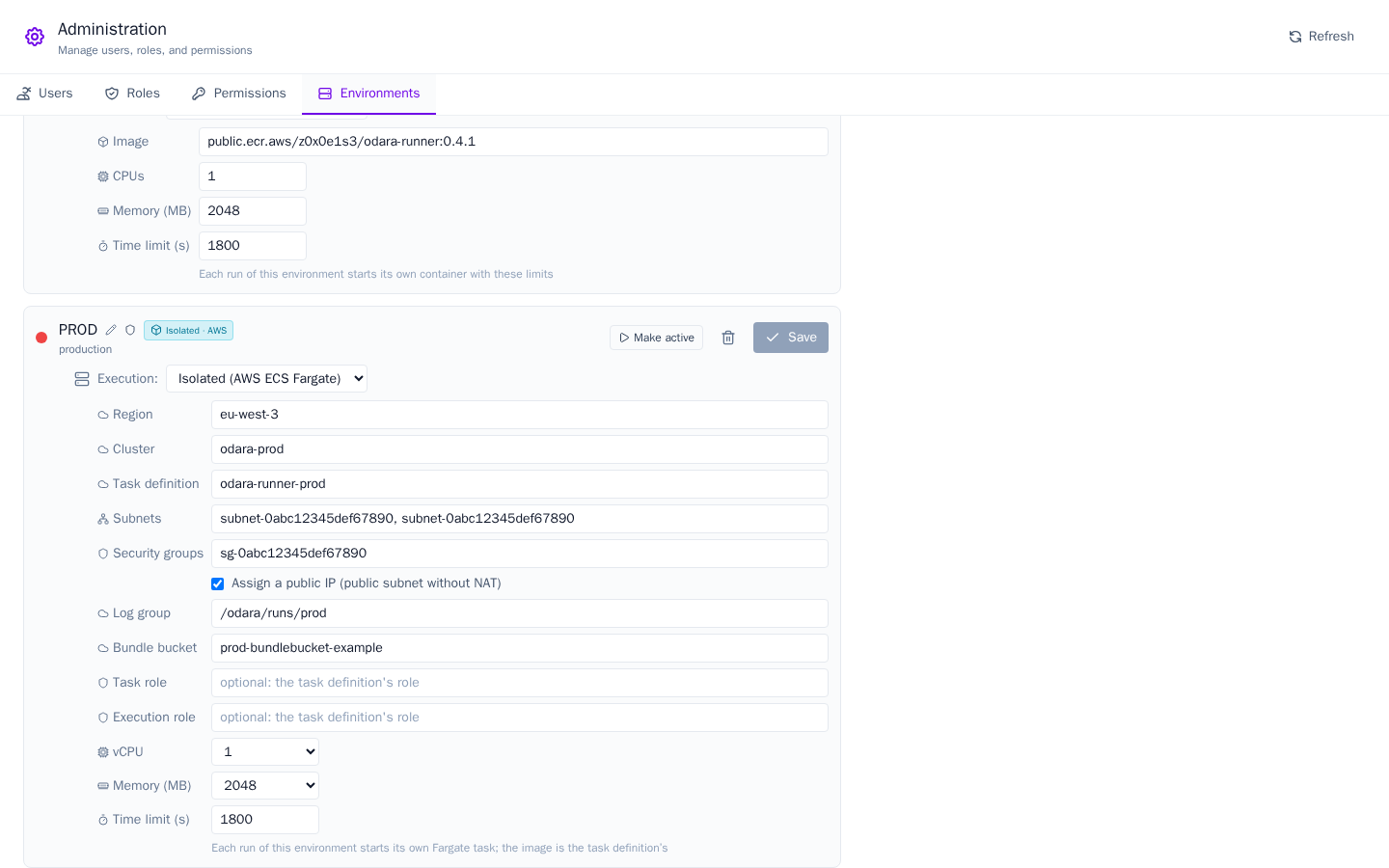
| Field | From the output | Example |
|---|---|---|
| Region | region |
eu-west-3 |
| Cluster | cluster |
odara-prod |
| Task definition | task_definition |
odara-runner-prod |
| Subnets | subnets |
the two subnet-…, comma-separated |
| Security groups | security_groups |
sg-… |
| Assign a public IP | assign_public_ip |
ticked (public subnets, no NAT) |
| Log group | log_group |
/odara/runs/prod |
| Bundle bucket | bundle_bucket |
prod-bundlebucket-… |
| Task role / Execution role | — | leave empty: the task definition's roles |
| vCPU / Memory (MB) | — | the size of each run's task, any size Fargate accepts |
| Time limit (s) | — | a run still going after this is stopped |
Click Save.
The Odara screens from here on come from a second stack named
prod, so the names readodara-prod,odara-runner-prod,/odara/runs/prod.
The image is the task definition's. To move to another runner version, update the stack (Update stack › Use existing template) with a new RunnerImage.
6. Run in PROD
Open the pipeline in the Editor and click PROD in the top bar. The badge next to Execute says AWS ECS Fargate.
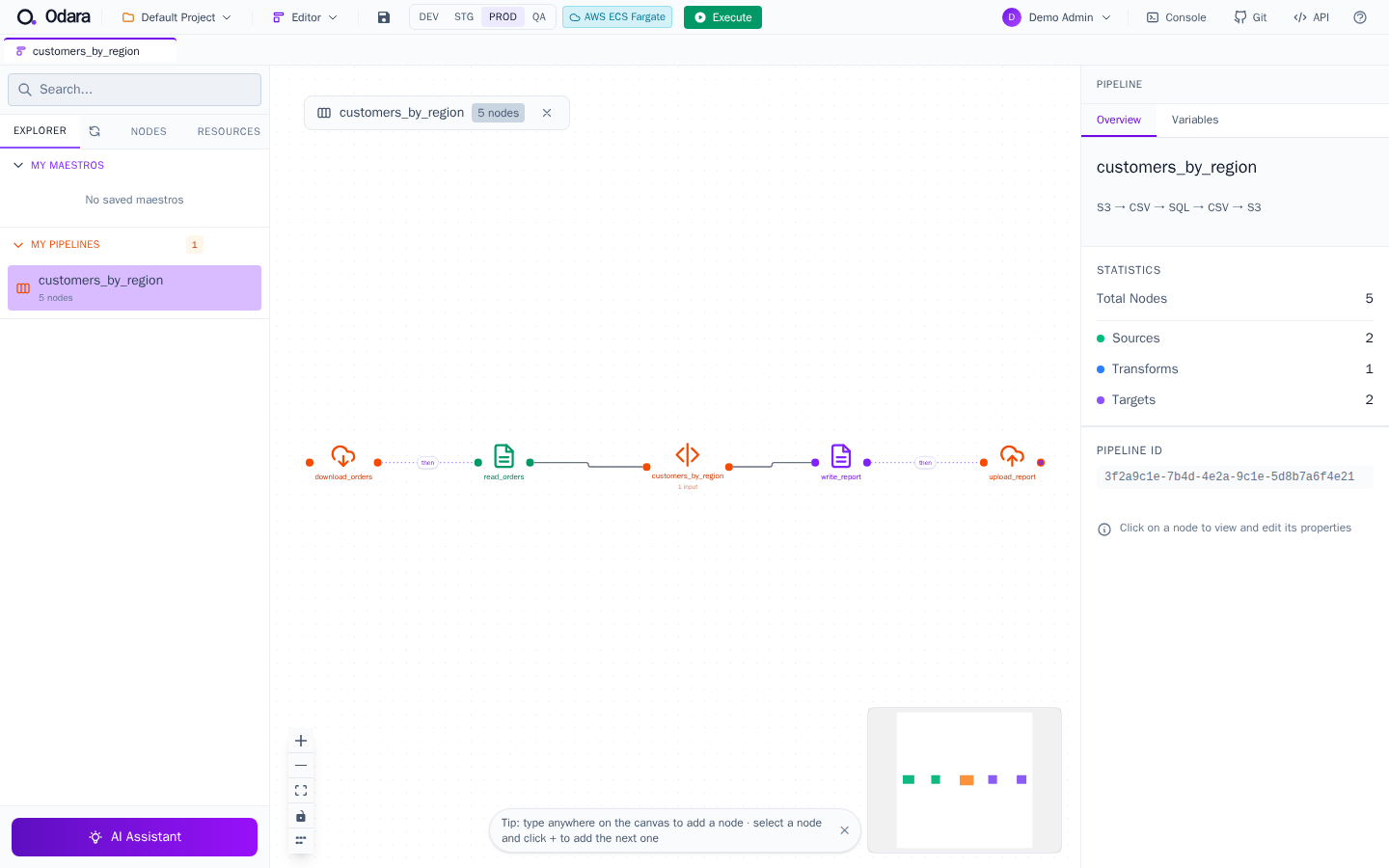
Click Execute. For the first 30–60 seconds Fargate finds a machine and pulls the image; then the nodes light up as the run reports its progress.
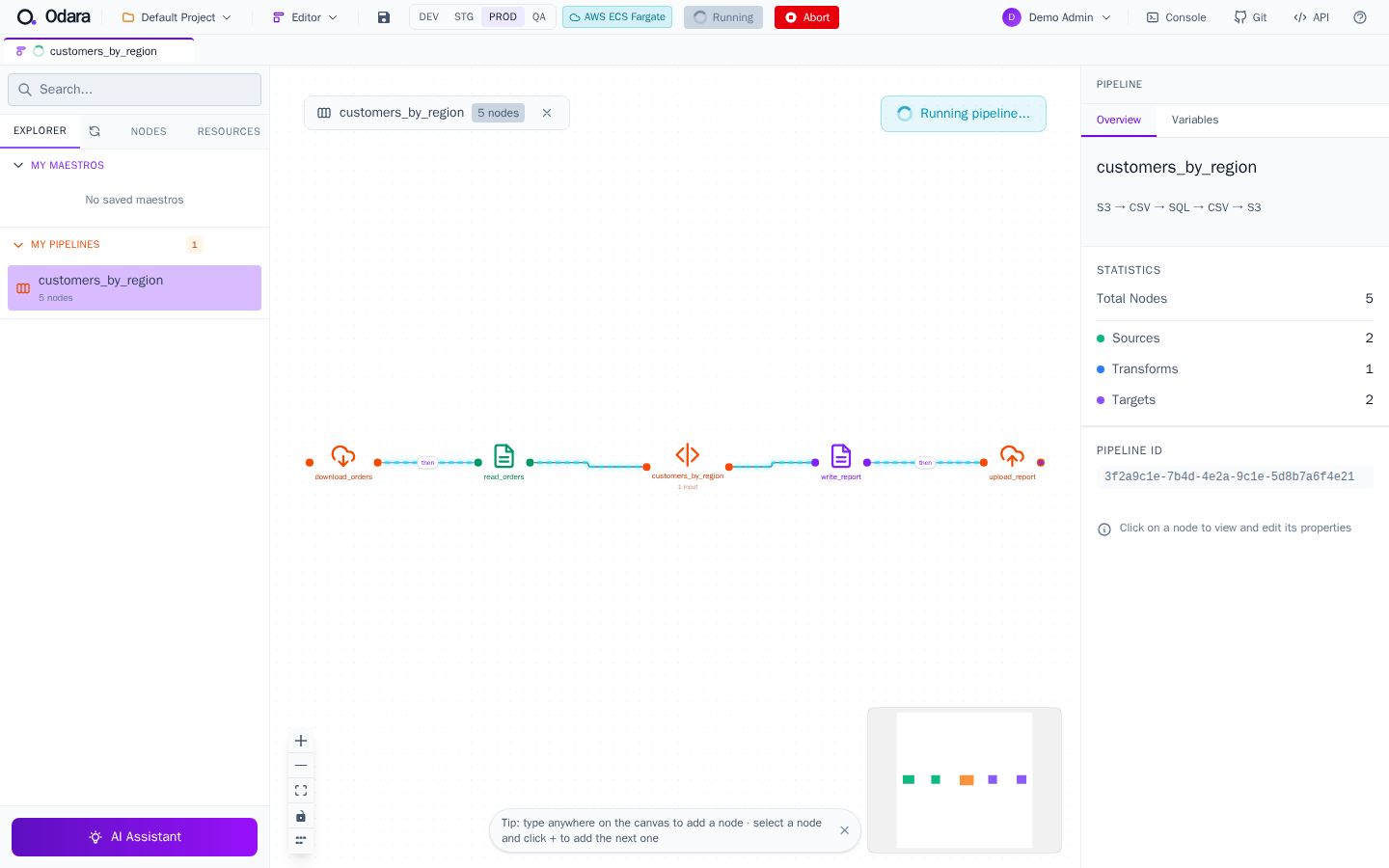
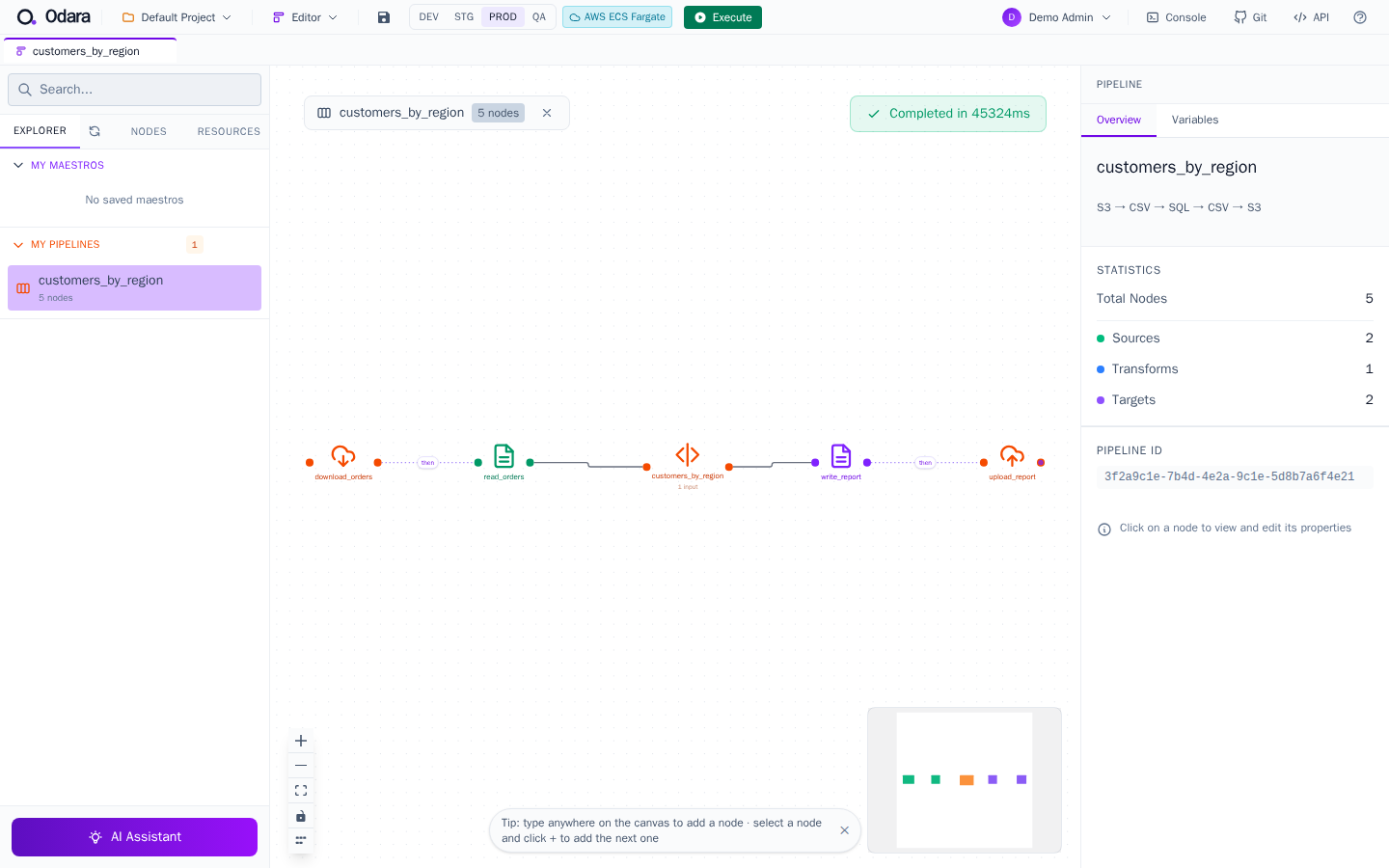
Fargate takes 30–60 s to start a task. Isolated runs suit pipelines that run for minutes; a 2-second pipeline is faster Local.
In the Monitor, the run says where it went:
Environment: PROD (production)
Isolated run on AWS Fargate: odara-prod in eu-west-3, task definition odara-runner-prod (1 vCPU, 2048 MB, 1800 s limit)
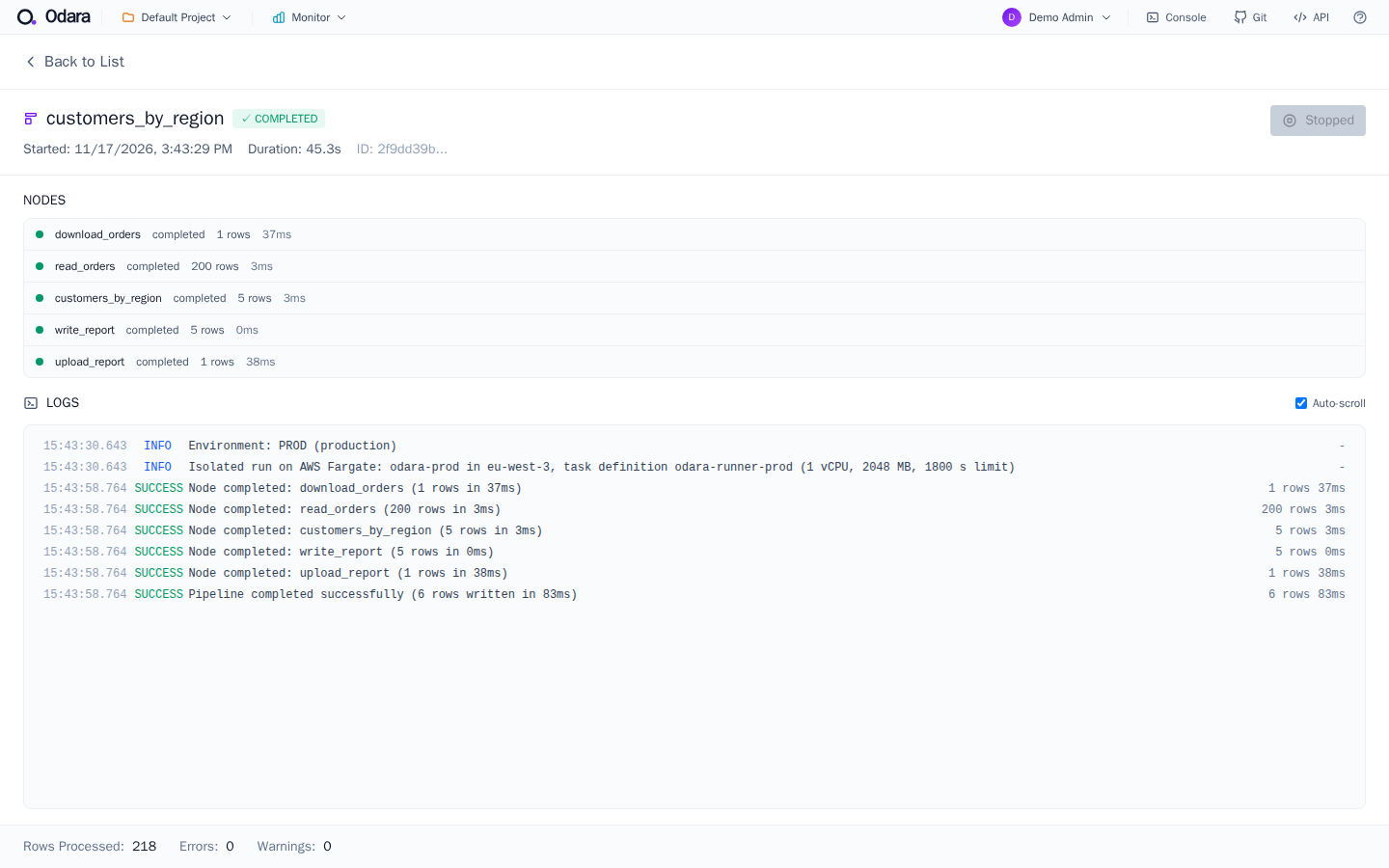
The same run, seen from AWS
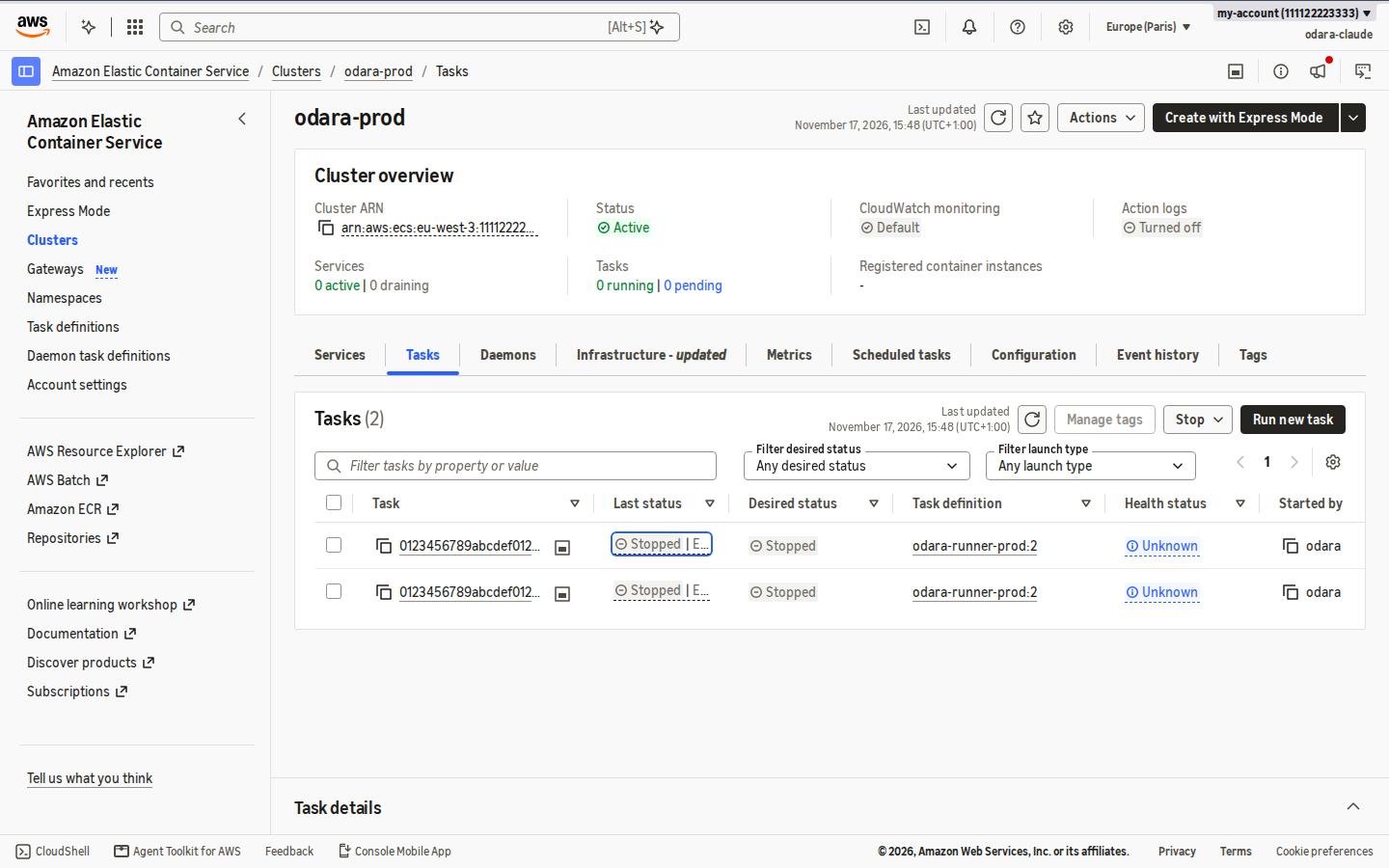
Fargate is not a service of its own in the console: it is how ECS runs tasks without servers. Open ECS › Clusters › odara-<stack> › Tasks and filter Any desired status: each run is one task, now Stopped (stopped tasks stay listed for about an hour).
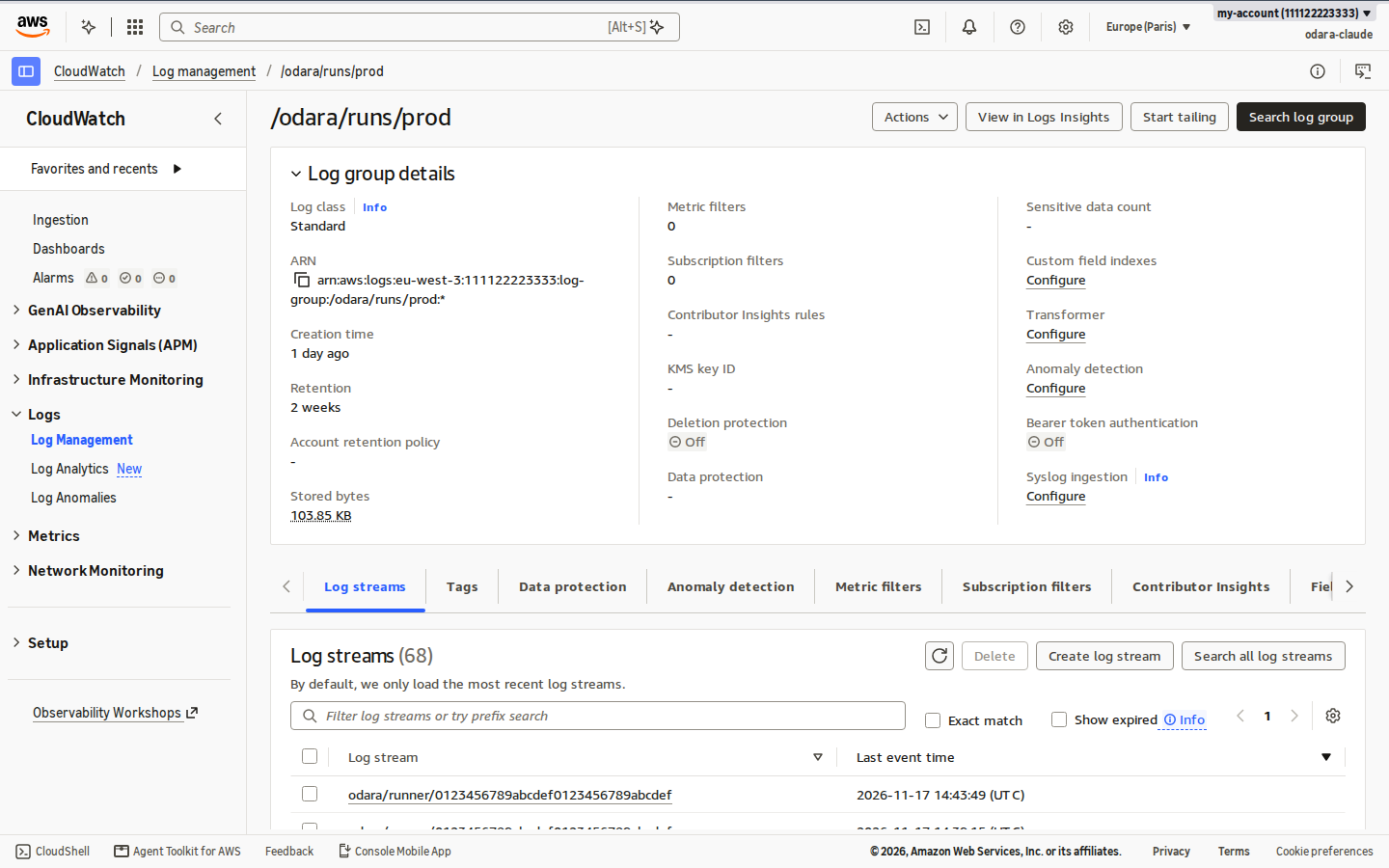
Each run is also one log stream in CloudWatch › Log groups › /odara/runs/<stack>, kept 14 days:
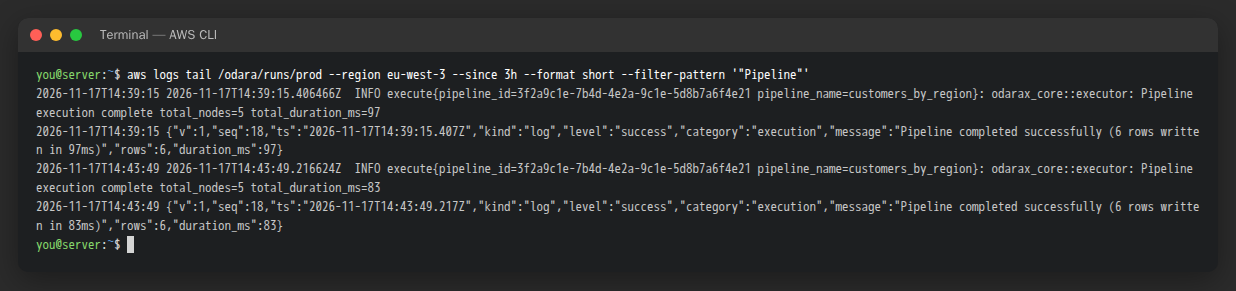
Or from a terminal with the AWS CLI:
The per-run secret in Secrets Manager is deleted when the run ends, whether it succeeded, failed or was stopped. Abort in Odara and the time limit both stop the task.
7. Delete everything
When you are done testing, open CloudFormation, select the stack and click Delete stack. Type the stack name to confirm and click Delete stack.
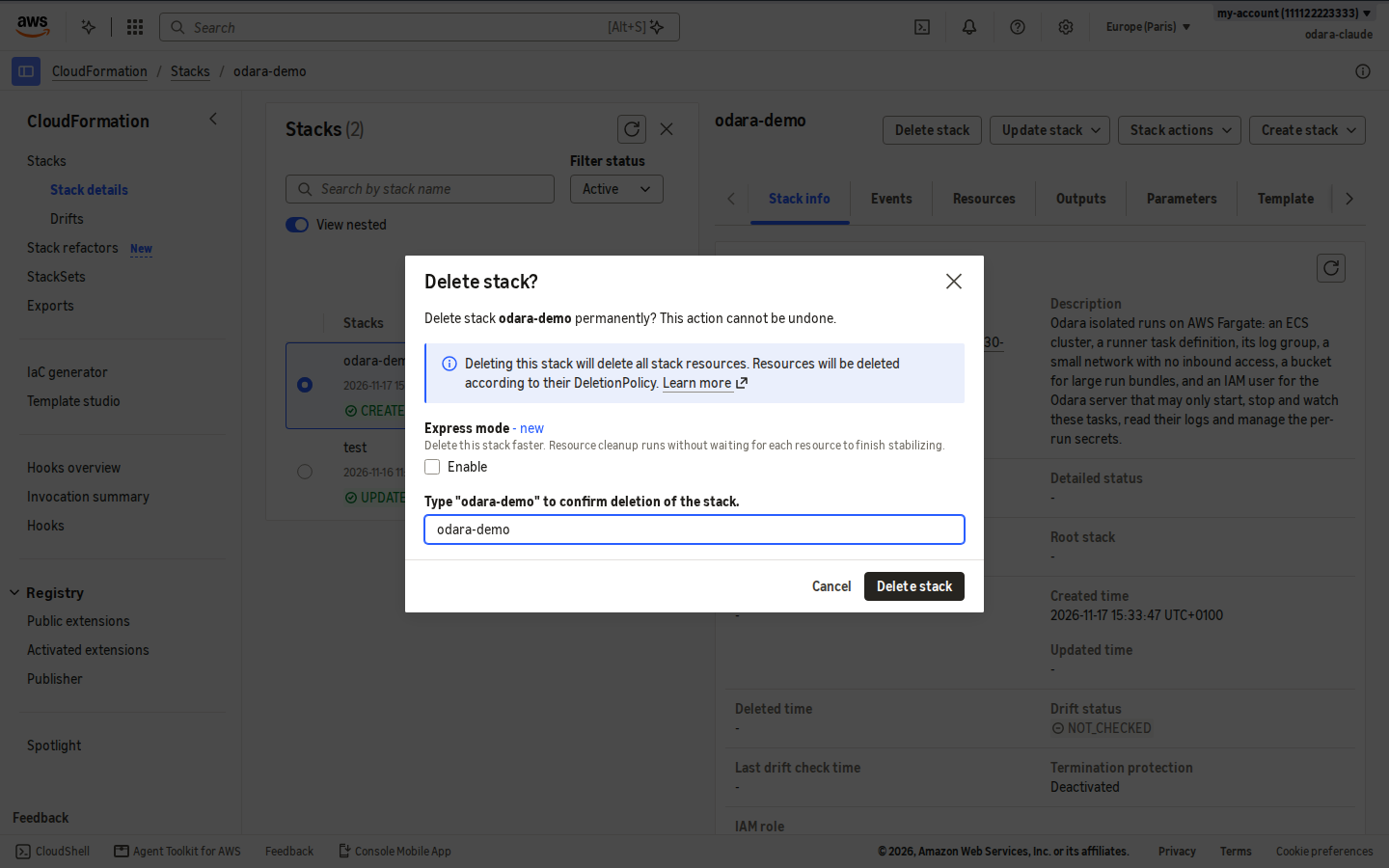
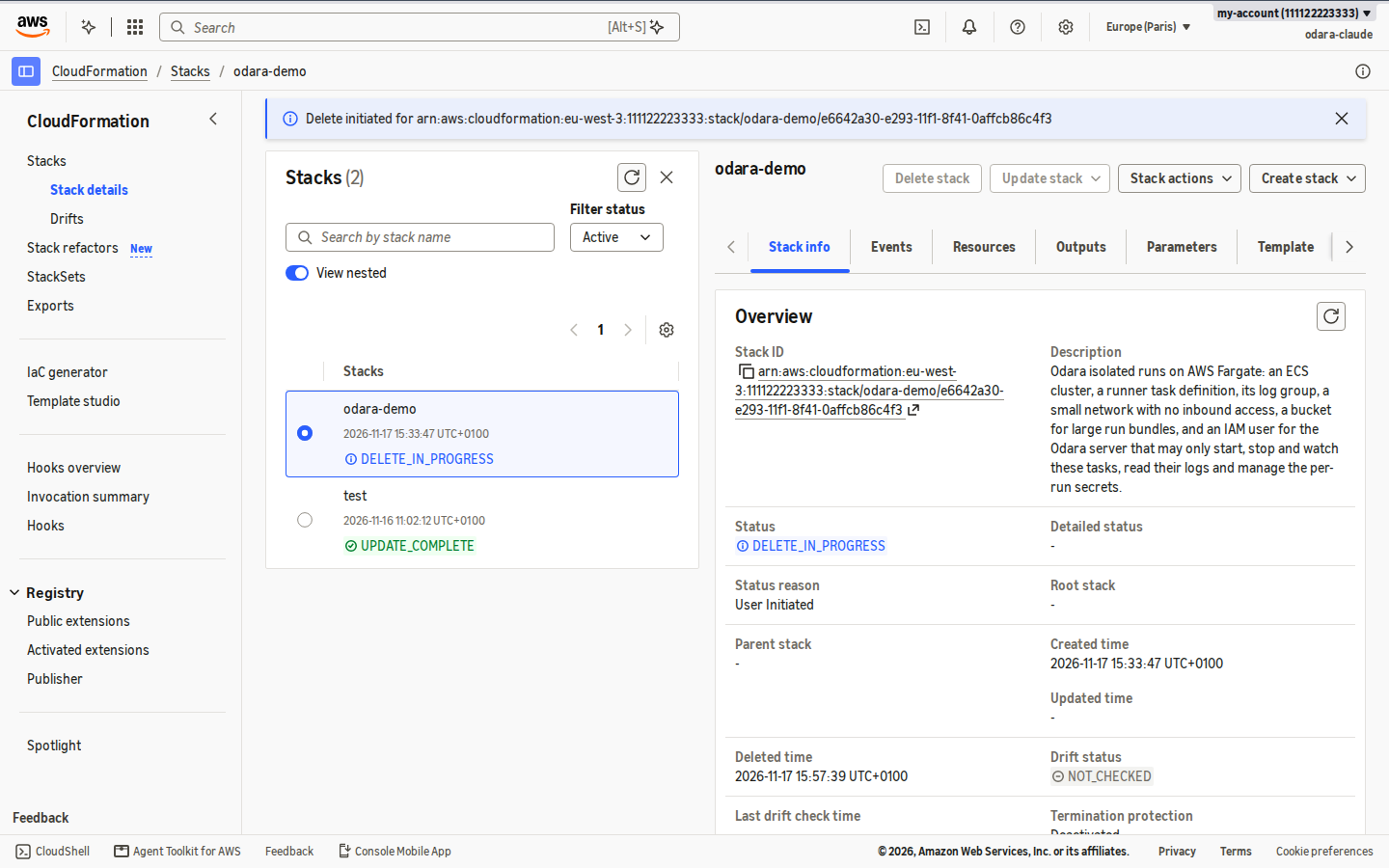
Everything goes with it: the cluster, the network, the user and its key, the logs and the bucket. Then set the Odara environment back to Local, or delete it.
Databases: how a run reaches them
The stack's security group has no inbound access and allows all outbound traffic. Each task leaves through its own public IP, a different one every run:
| Where the database is | How |
|---|---|
| In AWS (RDS…) in the stack's subnets | Allow its port from the stack's security group. Traffic stays inside the VPC. |
| Elsewhere, open to the internet with a firewall by IP | Add a NAT gateway with a fixed Elastic IP (~US$ 35/month): every run then leaves through that one IP. |
| Elsewhere, private | A site-to-site VPN between the VPC and that network. |
A database that only listens on 127.0.0.1 of another server is never
reachable from a run.
What it costs
Approximate, Paris region, 1 vCPU / 2 GB tasks:
| Item | Price | 100 runs of 5 minutes |
|---|---|---|
| Fargate | ≈ US$ 0.06 per task-hour | ≈ US$ 0.50 |
| Task public IP | US$ 0.005 per hour of run | ≈ US$ 0.05 |
| Per-run secrets | US$ 0.40 per secret-month, billed for the minutes it exists | < US$ 0.05 |
| Logs | ~US$ 0.50 per GB received | cents |
| Bucket, public image | free tier | US$ 0 |
Nothing is billed between runs. For heavy work running around the clock, a server of your own is cheaper; because Execution is per environment, you can mix both.
Next
- Environment per run and per schedule: send one run, or one schedule, to PROD while everything else stays Local.
- Isolated runs on Google Cloud Run.